
A buyer returns a ₹1,299 kurta to you with the wrong product inside. You raise a claim, and it comes back rejected because the order never had a tag loop on it. Or a two-item order goes out with only one item in the box, because the packer never noticed the second line. These are the small mistakes that make Myntra seller order processing feel harder than Meesho or Flipkart, and each one costs you either a rejected claim or a late shipment.
This guide walks through a Myntra order from the moment it arrives to the moment the courier takes it: accepting, attaching and scanning the tag loop, packing orders with more than one item, printing the invoice and label, and handing over on time. You can follow every step from the Myntra Partner Portal alone. At the end we show how to run the same routine for Myntra alongside your other marketplaces.
Key takeaways
- Myntra order processing has five steps: accept, tag, pack, label, hand over. Most losses happen at the tag and pack steps.
- A tag loop is a one-time security tag with its own number. Attach it and record its number before you pack, because it cannot be added or changed afterwards.
- Check every new order for more than one line. Decide whether it ships in one box or one box per line before you print labels.
- Keep the invoice number with each order. It is the number Myntra and your accountant will ask for later.
How Myntra seller order processing works, step by step
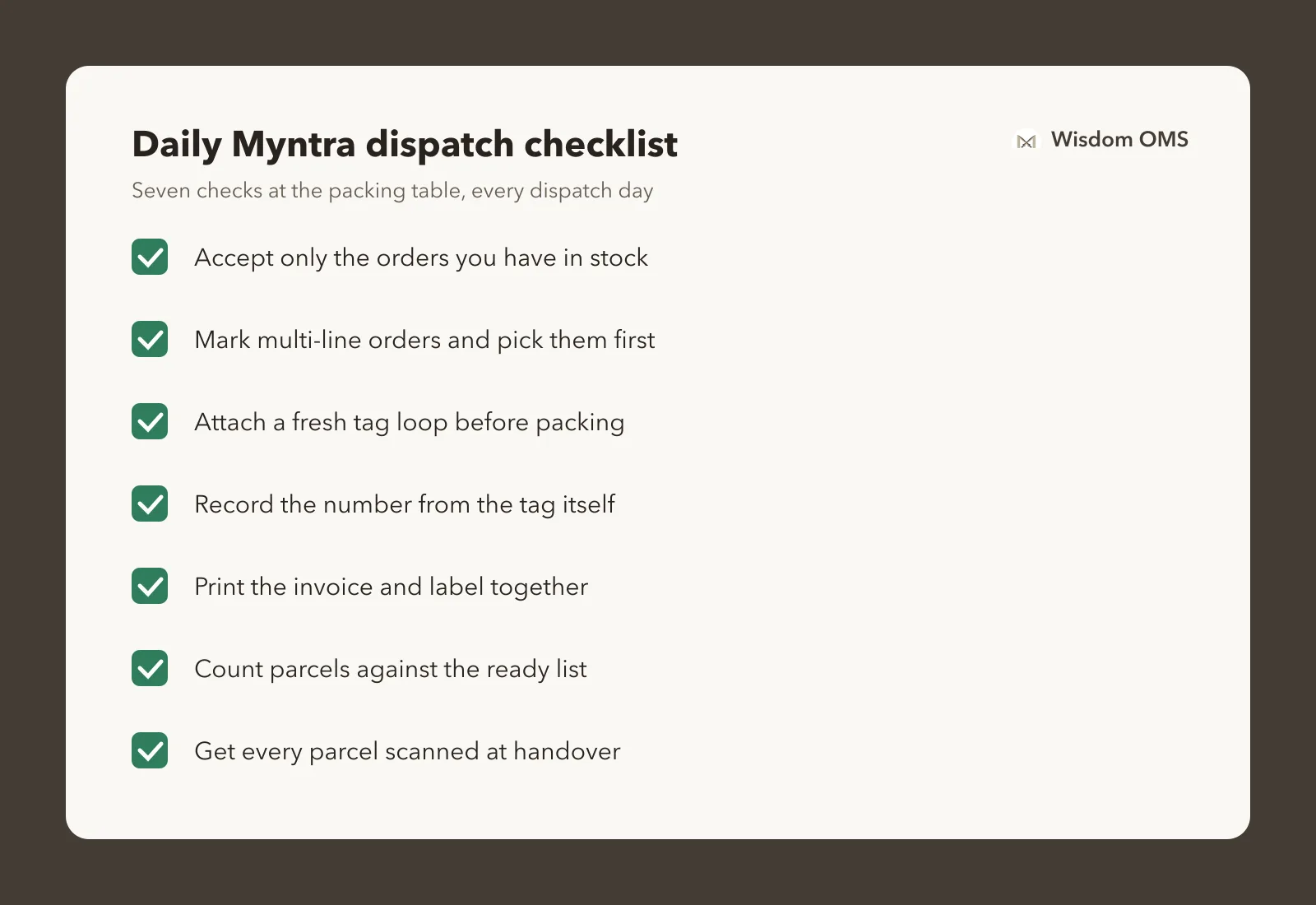
When you ship from your own godown, every Myntra order goes through five steps: accept the order, attach a tag loop if the product needs one, pack, print the invoice and shipping label, then hand the parcel to the courier. Each step has to be done in the Partner Portal within the time Myntra gives you for that order.
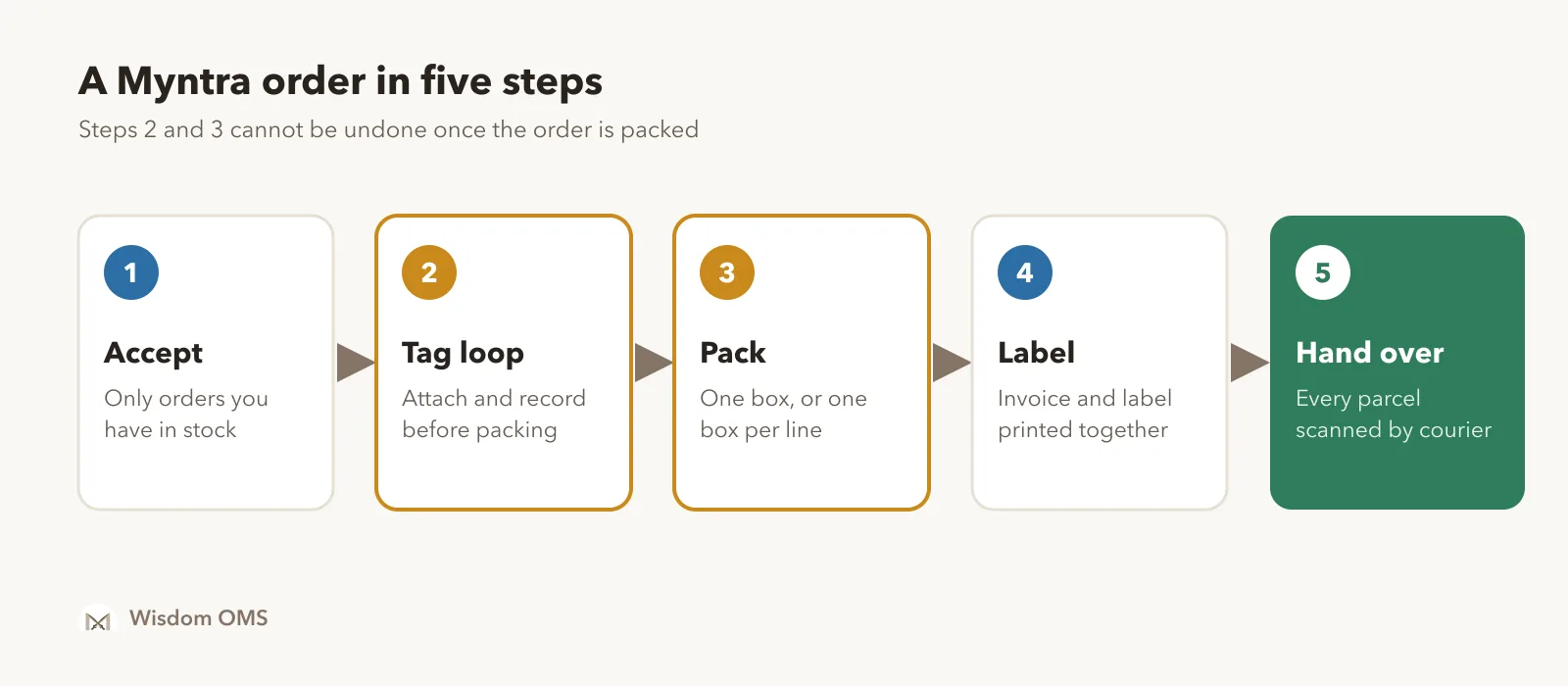
- Accept the order. New orders wait in the Partner Portal for you to confirm them. Accept only what you have in stock; cancelling later hurts your seller metrics.
- Attach the tag loop. If the order needs one, put a tag on the product and record that tag's number against the order line.
- Pack. One order can hold more than one item. Pack them together or separately, as the order requires.
- Print invoice and label. Print both, check the label matches the box, and stick the label where the courier can scan it.
- Hand over. Mark the order ready, keep parcels sorted for pickup, and get every one scanned by the courier.
The dispatch time for each order is shown in the Partner Portal. It can differ by category and by your seller agreement, so read it there rather than relying on a number from a video or another blog.
What is a Myntra tag loop, and when do you need one?
A tag loop is a plastic security tag with a unique number or barcode on it. You attach it to the product before packing, and the number is recorded against that order line, so when the item comes back Myntra can tell whether it is the same product you sent.
Not every product needs one. Myntra decides which categories need a tag loop, mostly fashion items such as clothing, footwear and bags, and marks those order lines for you. Myntra's seller protection (SPF) policy on the Partner Portal sets out the rules. Read the current version there, because it decides whether a claim on a returned item can be considered at all.
Three rules matter in daily packing:
- One tag, one item. Each tag number is used once. Never reuse a tag from a returned product.
- Before packing, not after. Once an order is packed, you cannot add a tag loop or change the number.
- The number must match. The tag on the product and the number recorded against the order must be the same. A typing slip is as bad as no tag.
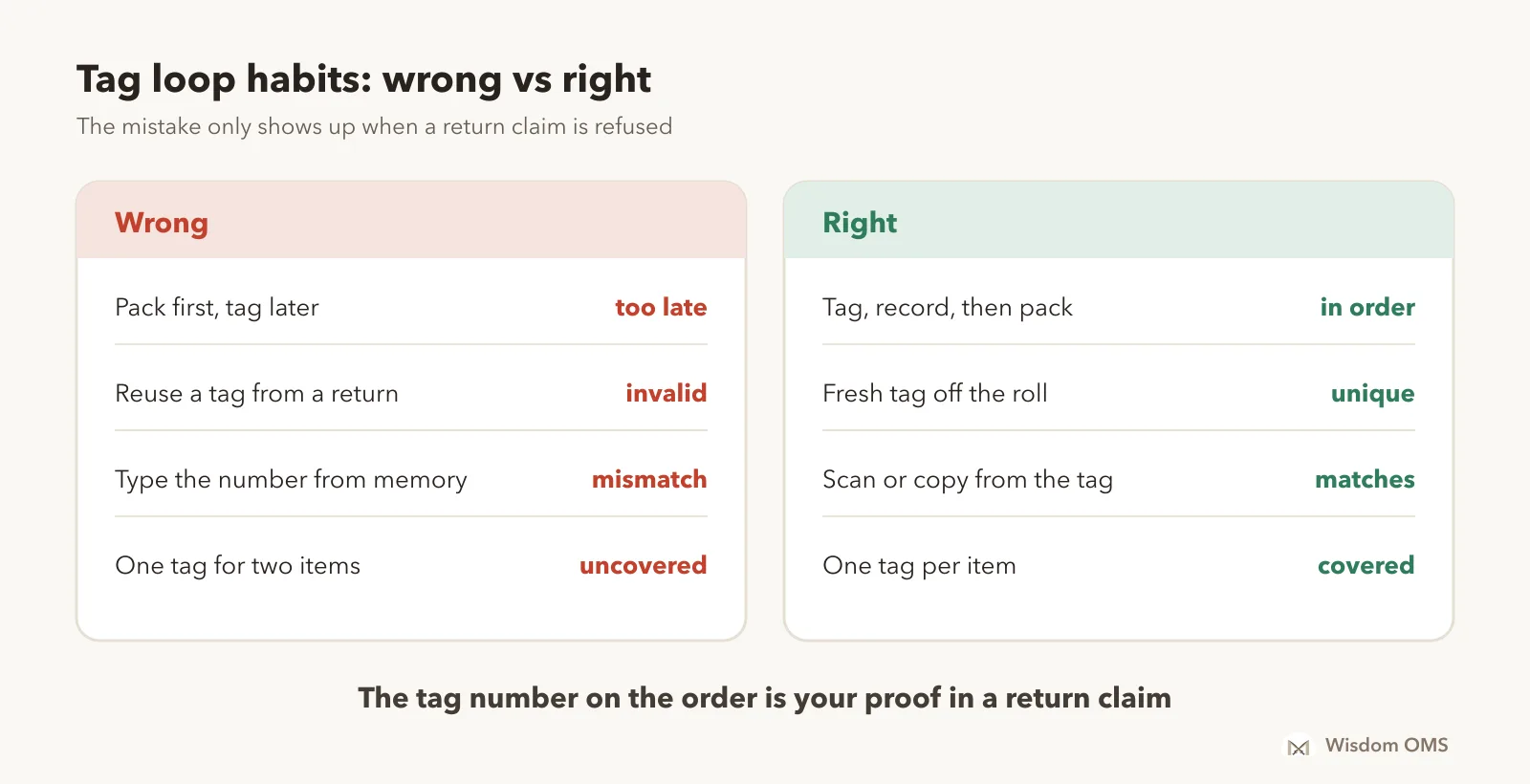
A simple habit fixes most of this. Keep your tag rolls at the packing table, take the next tag off the roll for every item, and write or scan the number from the tag itself, never from memory. If you get tag numbers in bulk, keep the list in a sheet next to the order list so no number is used twice.
Multi-line orders: one box or one box per line?
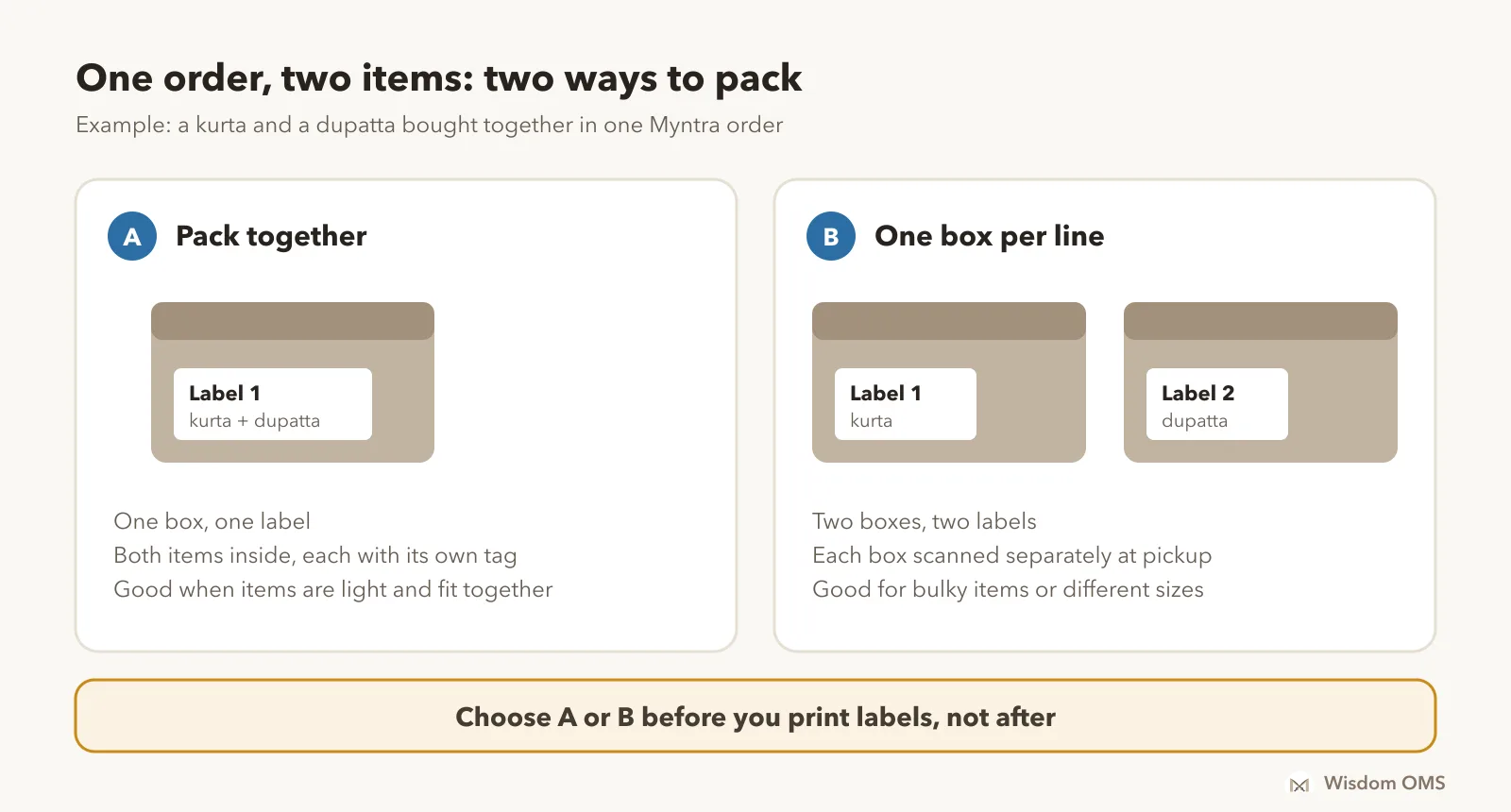
A multi-line order is one Myntra order that contains more than one item, for example a kurta and a dupatta bought together. Before you print labels, decide whether the order ships as one box or as one box per line, because the labels and the pack you confirm depend on it.
Where sellers go wrong:
- Not noticing the second line. The packer sees one product name, packs it and ships. The second item stays on the shelf and the order goes out short.
- Splitting after printing. If you print one label and then decide to send two boxes, the second box has nothing to scan.
- One tag for two items. Each line needs its own tag loop if its category requires one.
Sort your new orders so that multi-line orders sit at the top of the pick list, and pick them first. It takes a minute and saves a short shipment.
Invoice, label and handover: the last mile in your godown
Print the invoice and the shipping label together, check that the label belongs to the box in your hand, and keep the invoice number against the order. The invoice number is what you will need for GST filing, for payment queries and for any claim.
Before the courier arrives:
- Stick the label flat on the largest side of the box, with the barcode clear of tape folds.
- Put the invoice inside the parcel if your arrangement with Myntra requires it.
- Count the parcels against the ready list. Any order on the list without a parcel is a missed dispatch.
- Get every parcel scanned at handover, and keep the handover sheet or count signed by the courier.
If you also sell on Meesho, the label step will feel familiar; our guide to printing Meesho labels on 4x6 sheets covers sorting labels by courier, which works for Myntra parcels too.
When a Myntra return comes back wrong
If a returned parcel has the wrong item, a missing item or a broken tag, open it on camera, keep the packaging and file a claim from the Partner Portal quickly. Your claim is only as strong as what you did at packing: the tag loop number on the order is your proof that the item you sent is not the item that came back.
The steps are much like the ones in our guide on Meesho wrong return claims: scan every return as it arrives, keep photos or video, note the claim number against the order and follow up until it is settled. Once the claim is approved, check that the money reaches your payout; our guide to reading a settlement report shows how to match each order to the bank, and the same method works for Myntra.
How Wisdom OMS handles this
Wisdom OMS runs your Myntra store in the same screens you use for Meesho, Flipkart, Amazon and Snapdeal: orders, labels, stock, returns and payments. Add your store from Company > Add Company.
For tag loops, turn them on per warehouse in Warehouse > Settings. Myntra orders that need a tag loop then ask for it when you accept, and labels print with the tag number on them. Add each roll of tags once under Tag rolls as it arrives, and packing takes the next tag off the roll for you. If you prefer working in Excel, use Actions > Import tag loops from file in New Orders: download the list of orders waiting for a tag, write each number next to its order, and upload it.
Orders with more than one line are marked on the order list, and Split Pack under Actions lets you pack them together or one box per line. Each Myntra order's invoice number shows in your Orders tabs, can be searched (Search in: Invoice No) and comes in the order export.
When a return comes back wrong, scan it under Scanning > Scan Wrong Return and file the claim right there; Refresh pulls the claim's latest status. Upload your Myntra settlement report from the Payments screen to see order-wise payments. More on the Wisdom OMS product page.
Frequently asked questions
How do I process orders as a Myntra seller?
Accept the new order in the Myntra Partner Portal, attach a tag loop if the product's category needs one, pack the order, print the invoice and shipping label, and hand the parcel to the courier before the dispatch time shown on the order. Check multi-line orders before packing so no item is left out.
What is a tag loop on Myntra?
A tag loop is a one-time plastic security tag with a unique number that you attach to a product before packing. Its number is recorded against the order line so that a returned item can be matched to the one you shipped. It cannot be added or changed after the order is packed.
Which Myntra products need a tag loop?
Myntra decides this by category and marks the order lines that need one, mostly fashion items such as clothing, footwear and bags. The current rules are in Myntra's seller protection (SPF) policy on the Partner Portal. If an order line is marked for a tag loop, attach one before packing.
What is a multi-line order on Myntra?
A multi-line order is a single Myntra order with more than one item in it. You need to pick every item, tag each one separately if its category needs a tag loop, and decide whether to ship them in one box or one box per line before printing labels.
How can I track the status of a Myntra order as a seller?
Open the order in the Myntra Partner Portal to see where it is: new, packed, ready to ship, shipped, delivered or returned. Searching by order ID or invoice number is quickest. If you sell on several marketplaces, an order management system shows every order's status in one list.
Get the packing table right
Most Myntra problems start at the packing table: a missing tag loop, a second item left on the shelf, a label on the wrong box. Accept only what you can ship, tag before you pack, check every order for a second line, and count parcels at handover. If you are also listing on Myntra, our guide to bulk listing on Meesho and other marketplaces covers creating many products at once. Start free with Wisdom OMS and run your Myntra orders, tag loops and labels alongside every other store. Prefer your phone? Get the Wisdom app on Google Play.