
It is 11 in the morning, pickup is at 2, and 180 Meesho orders are waiting. You download the label PDF, print it on A4 sheets, and someone sits with scissors cutting labels one by one. Then the labels go into piles by courier, a few land in the wrong pile, and one parcel leaves with half its barcode cut off. That is two hours of a packer's day, every day, before a single parcel is packed.
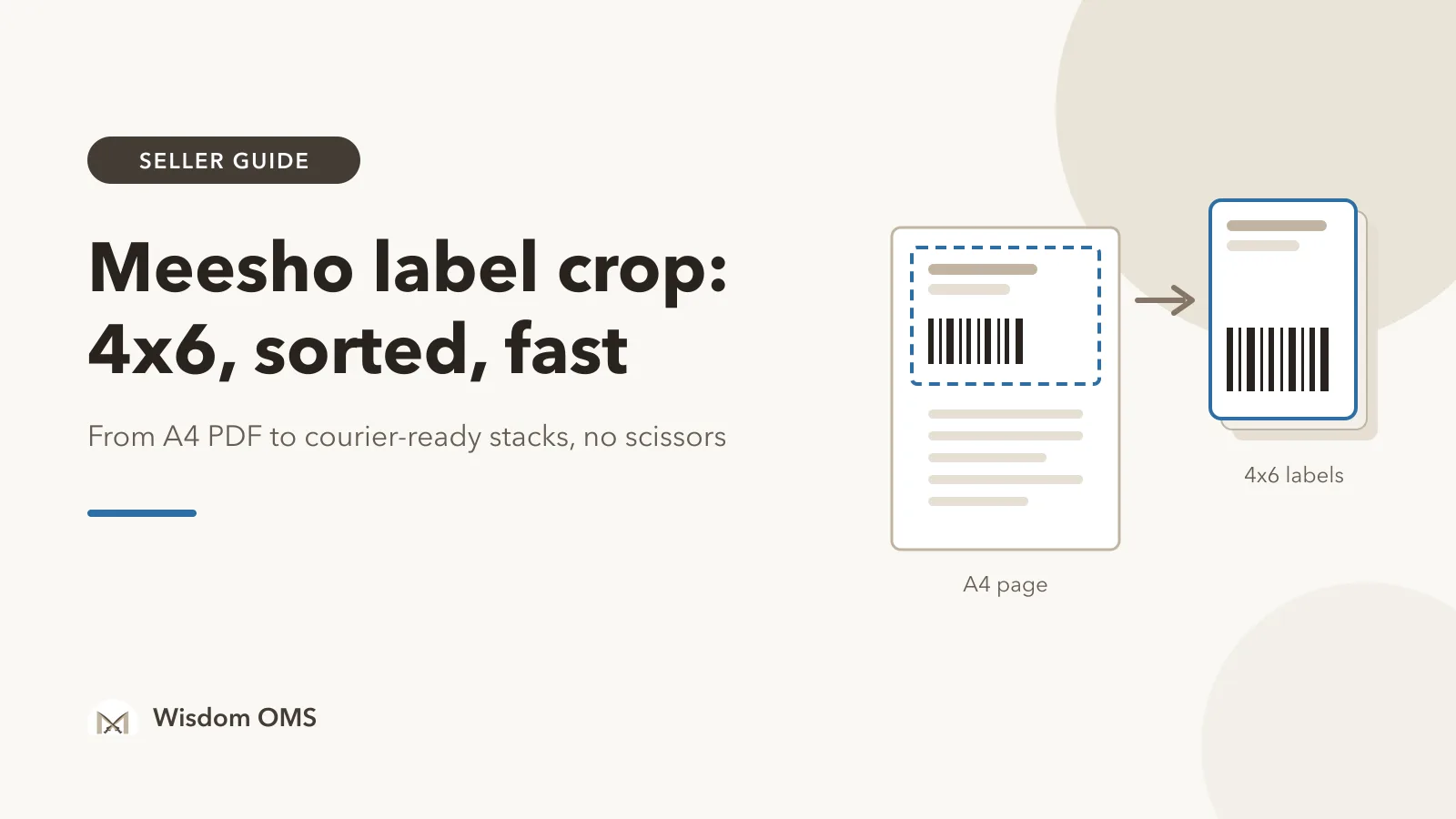
A Meesho label crop fixes most of this. Instead of printing whole A4 pages, you crop each shipping label to the 4x6 inch size a thermal printer uses, sort the labels so they come out in the order you pack and hand over, and print the whole batch in one go. This guide shows how to do it step by step, with or without software, and how to avoid the mistakes that leave a label unscannable at pickup.
Key takeaways
- A 4x6 inch thermal label (about 100 x 150 mm) needs no ink and no cutting. It is the standard size for marketplace shipping labels.
- Crop first, then sort. Sorting by courier means each courier's parcels are packed and stacked together, ready for pickup.
- Print at actual size and check the barcode on the first label of every batch. A squeezed or cut barcode is a parcel the courier cannot scan.
- Scan every parcel at dispatch against its order. Cropping saves time; scanning stops the wrong parcel going out.
Why Meesho labels need cropping at all
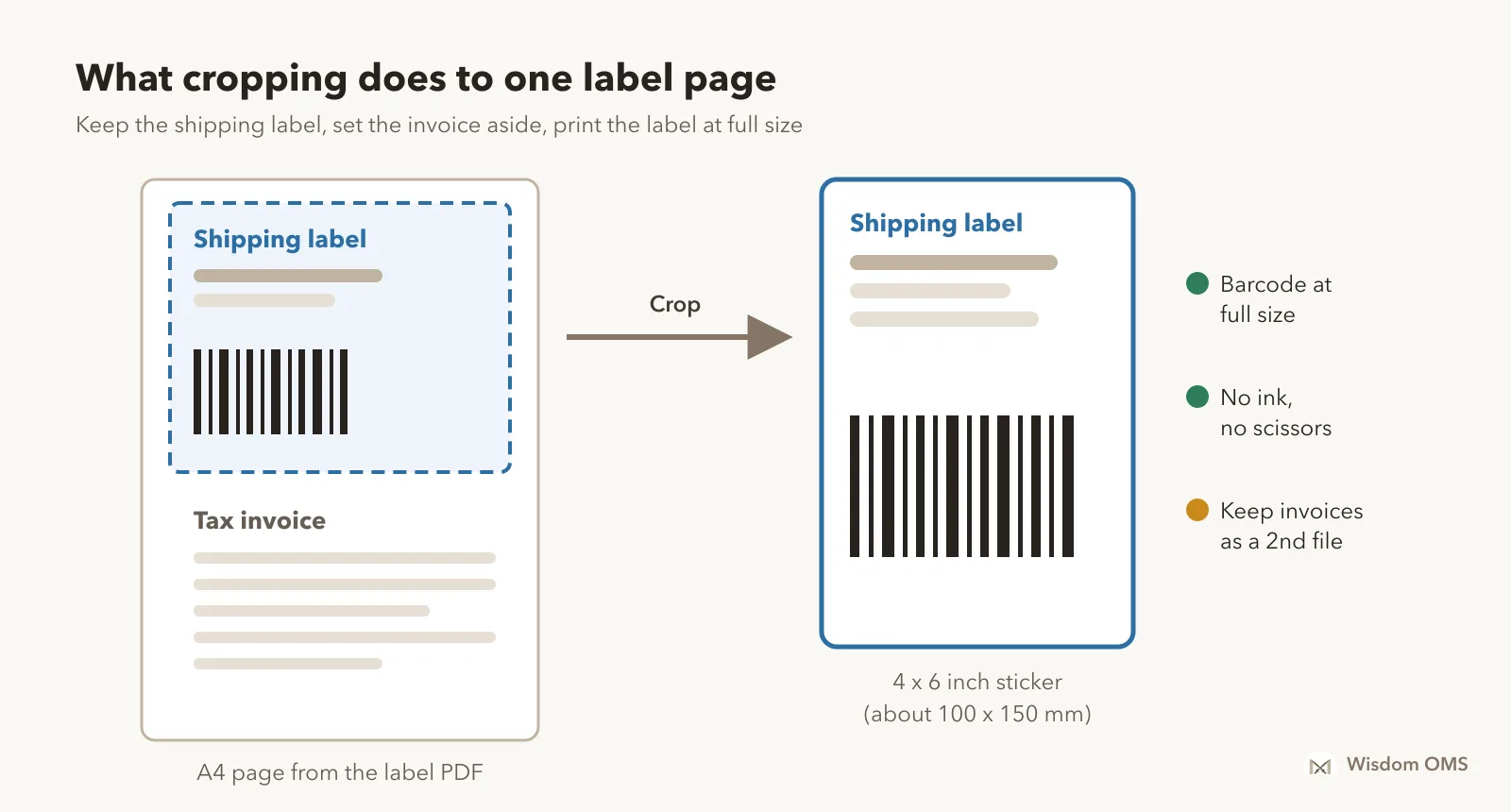
Meesho labels need cropping because the PDF you download is laid out for an ordinary A4 printer, not a label printer. Each order's page carries the shipping label together with the tax invoice, so printing it straight onto a 4x6 roll either shrinks everything or cuts part of it off.
The shipping label is the part the courier needs: the buyer's address, the return address, the courier name and the AWB barcode (AWB, or airway bill, is the tracking number the courier scans at every step). The invoice is the tax document for the sale. Cropping separates the two so the label fills a 4x6 sticker cleanly and the barcode prints at full size.
If you only ship a handful of orders a day, printing on A4 and cutting by hand works. Past 30 to 40 orders a day, the cutting, sorting and re-printing start to eat real hours, and that is when cropping pays for itself.
How to crop Meesho labels to 4x6, step by step
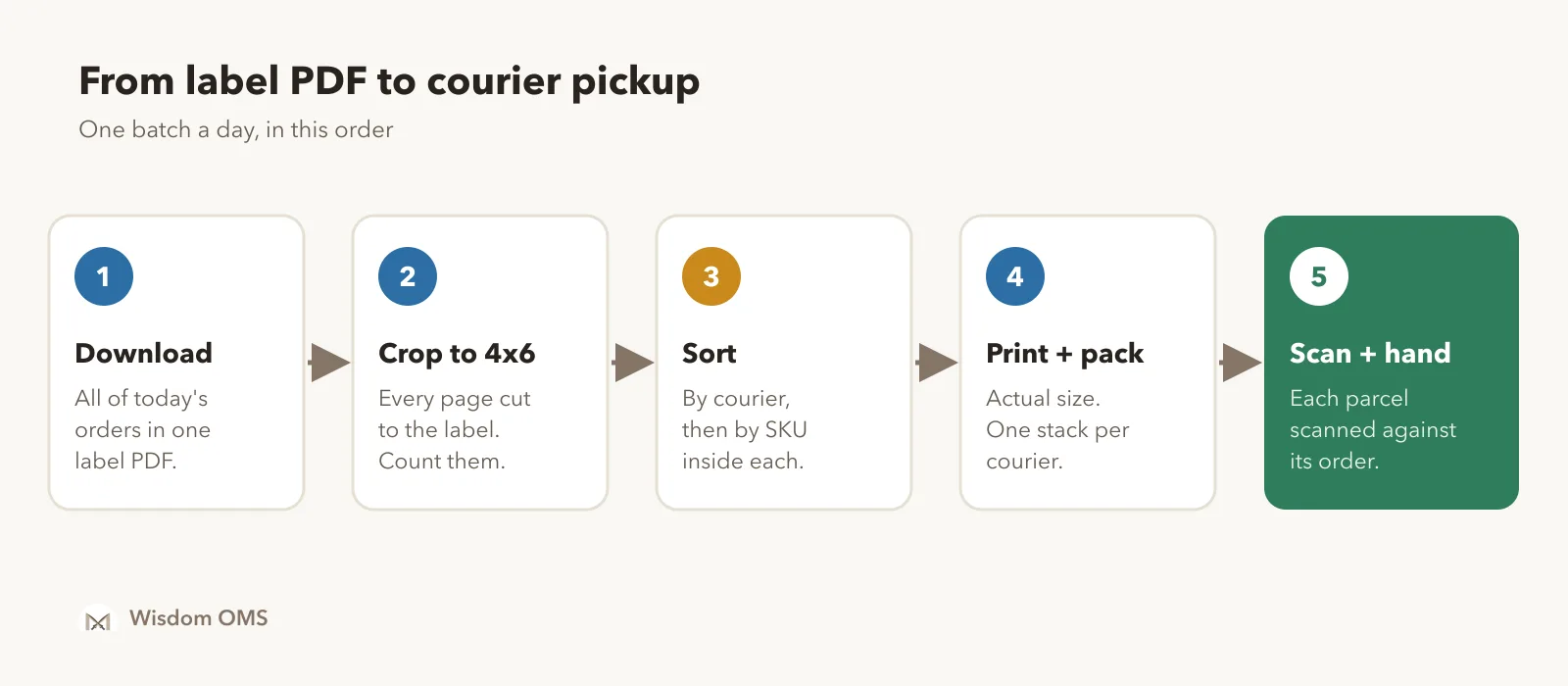
The short answer: download the labels for all the orders you are shipping today in one PDF, crop every page to the label area, and save the result as a 4x6 PDF. Here is the full routine.
- Accept and download in one batch. In the Meesho Supplier Panel, accept the day's orders and download their labels together, so one PDF covers the whole pickup. Several small downloads mean several files to crop and more chances to miss one.
- Crop to the label area. Use a label crop tool or a PDF editor's crop feature to cut every page down to just the shipping label. Do all pages in one go; cropping page by page is where labels get skipped.
- Keep the invoices. If you put an invoice inside each parcel, either print the uncropped A4 file for invoices or use a tool that saves the invoices as a second file. Do not throw them away just because the label is cropped.
- Count before you print. The number of labels in the cropped file should match the number of orders you accepted. A mismatch means a page was skipped or doubled.
- Print one test label. Check that the address is complete, the barcode is not cut at the edge and the label is not shrunk. Then print the rest.
A word on free online croppers: your label PDF holds every buyer's name, phone number and address. Before you upload it anywhere, check whether the file is processed on your own computer or sent to someone's server, and what happens to it afterwards.
Sort labels by courier before you print
Sorting by courier means the labels come out of the printer grouped by the courier that will pick them up. You pack each group together, stack it in its own crate, and hand each courier exactly their parcels, instead of sorting a mixed heap at pickup time.
Two orders of sorting work well in a godown:
| Sort by | Best when | What it saves |
|---|---|---|
| Courier | Two or more couriers pick up at different times | No mixed heaps at pickup; each courier's parcels are counted and ready |
| SKU (product) | Many orders for the same few products | The packer picks one product many times in a row instead of walking the racks for every label |
| Courier, then SKU | High volume with several couriers | Both: grouped for pickup, and fast picking inside each group |
If your crop tool cannot sort, you can still save some time: split the cropped labels into piles by courier before packing, and keep one plastic crate per courier. It is slower than printing in order, but faster than sorting packed parcels at the door.
Thermal printer settings that stop wasted labels
Most label trouble comes from printer settings, not the printer. Set the paper size to 4x6 inches in the printer driver, print at actual size, and calibrate the printer whenever you load a new roll.
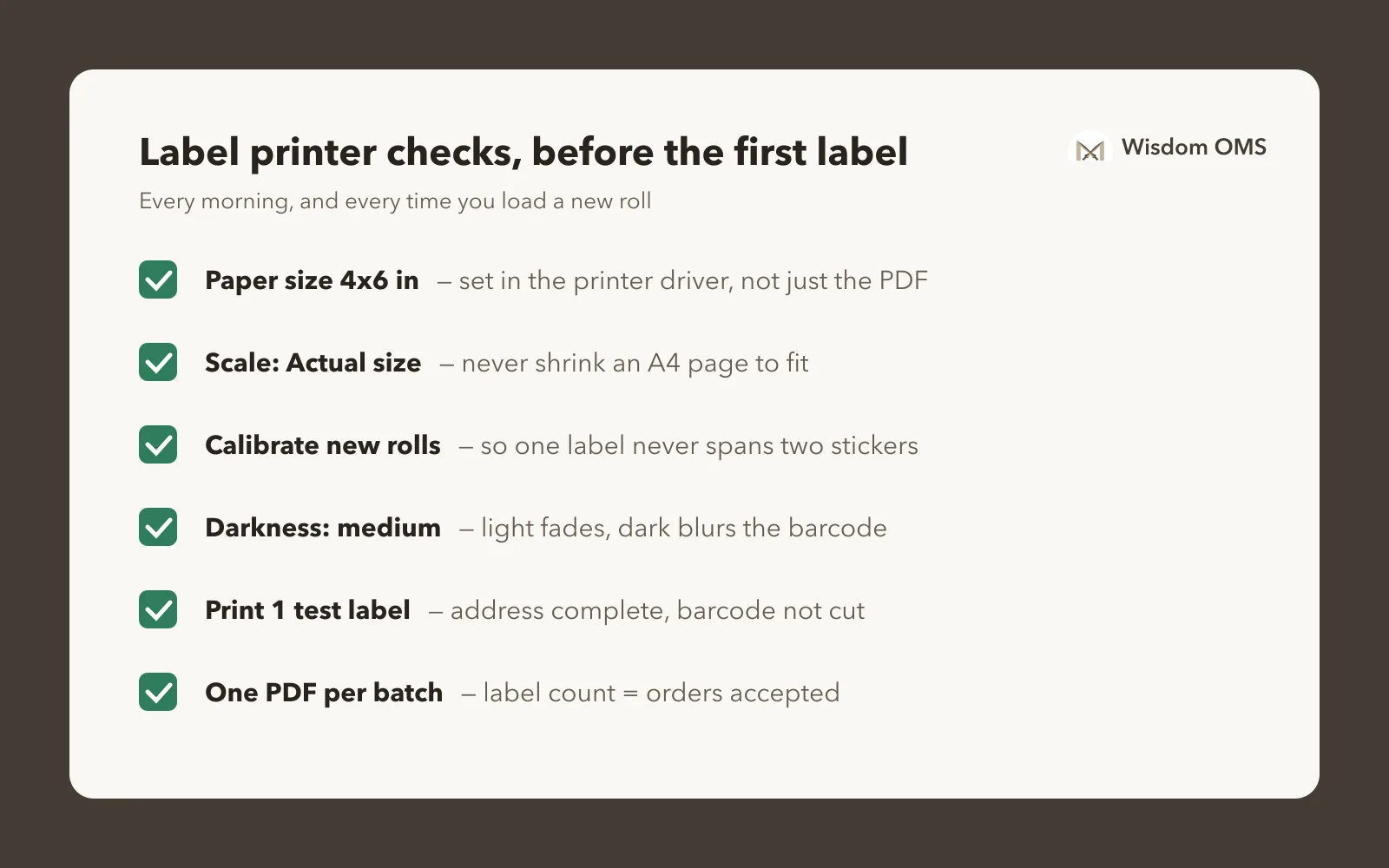
- Paper size 4x6 in (100 x 150 mm) in the printer's own settings, not only in the PDF viewer.
- Scale: Actual size / 100%. "Shrink to fit" on an A4 page makes the barcode too small to scan. If a cropped file is slightly bigger than 4x6, use "Fit" once and check the barcode still scans.
- Calibrate on every new roll, so the printer finds the gap between labels. Skipping this is why a label prints across two stickers.
- Darkness in the middle. Too light and barcodes fade; too dark and the bars bleed together.
- Direct thermal rolls need no ink or ribbon. Store them away from heat and sunlight, which turns them grey.
What cropping saves: a worked example
Here is a hypothetical day for a seller shipping 200 Meesho orders with two couriers. Your own times will differ, but the shape of the saving holds.
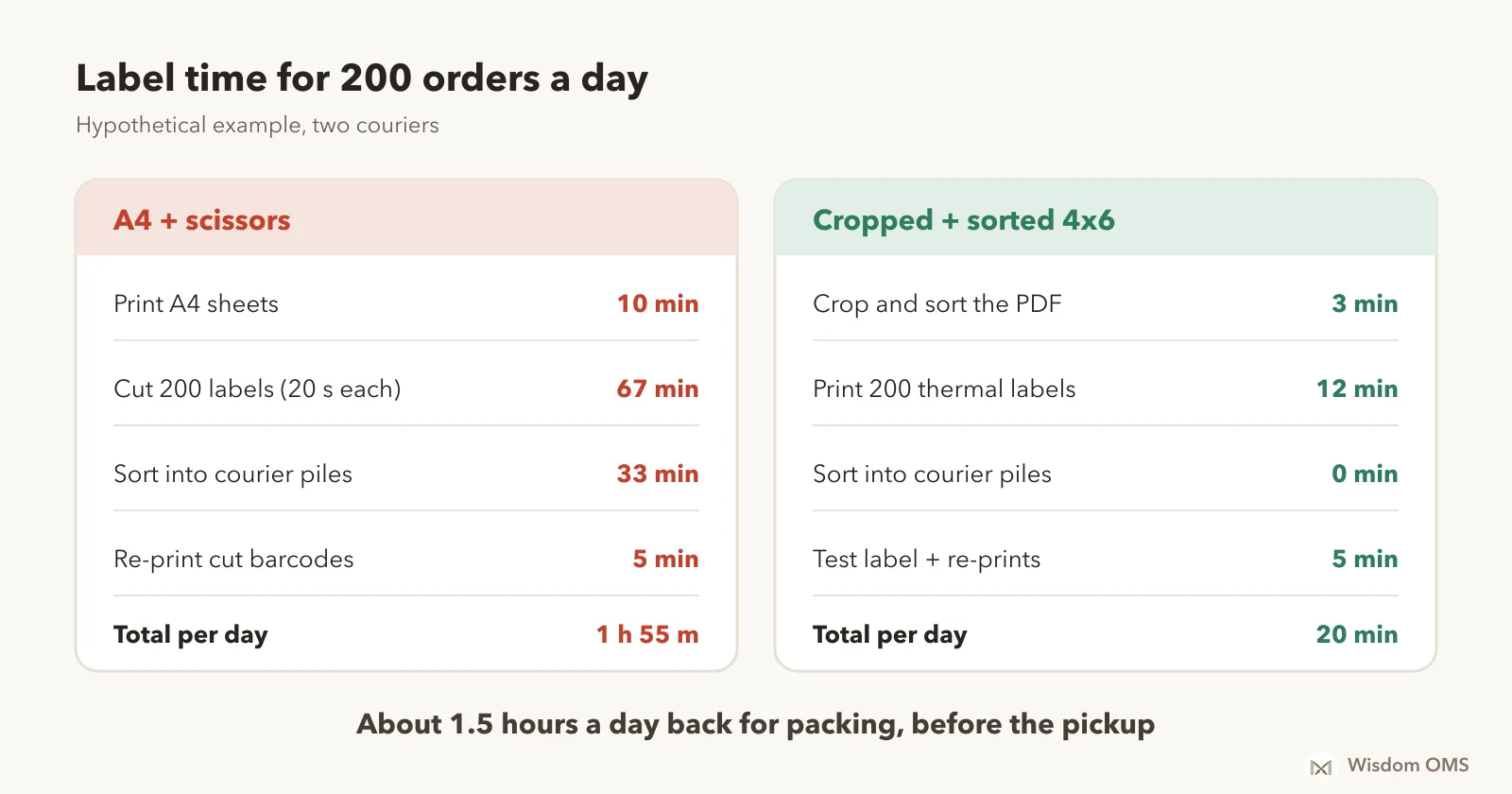
With A4 printing, cutting 200 labels at about 20 seconds each takes over an hour, and sorting them into courier piles at about 10 seconds each adds another half hour. Add re-prints for labels cut through the barcode and you are near two hours. Cropped, sorted 4x6 labels spend that time on the printer instead, with nobody standing over it.
Before Diwali, when daily orders can double, that difference decides whether parcels make the pickup. Our Diwali warehouse checklist covers the rest of the sale-week prep.
How Wisdom OMS handles this
In Wisdom OMS, label work is part of the order flow instead of a separate chore. Select all the orders in the Labels tab and download their labels in one click; large downloads build in the background and arrive in your notifications when ready, so you can keep working.
Crop/Sort Labels crops Meesho labels and sorts them by courier, and also gives you a courier-wise zip with a separate file for each courier, including Meesho orders shipped by Shiprocket. Flipkart labels can be cropped from the same place, and sellers with several Flipkart stores can print every store's labels in one SKU order, combo orders first.
A few smaller things add up on busy days: label files are named with the marketplace and time, every batch you download is kept in Labels History so you can see who packed what and print the same labels again, and you can switch off the page number and date line on labels. You can also print a store QR code under each label, with your store link or a rating link. After packing, dispatch scanning checks each parcel against its order before it leaves. See everything on the Wisdom OMS product page, or read what an order management system does if you are new to the idea.
Frequently asked questions
How do I crop a Meesho label to 4x6?
Download the day's labels from the Meesho Supplier Panel as one PDF, then use a label crop tool or a PDF editor to cut every page down to the shipping label area. Save the result, set your thermal printer to 4x6 inch paper at actual size, and print one test label before the batch.
Can I print Meesho labels on A4 paper?
Yes. An ordinary printer can print the A4 PDF as it is, and you cut out the label and stick it on the parcel with tape. It works for a few orders a day, but cutting and taping take a lot of time at higher volume, and a careless cut through the barcode means a re-print.
Which printer is best for Meesho labels?
A 4x6 inch direct thermal label printer is the usual choice for marketplace labels, because it needs no ink and prints self-adhesive stickers. Look for 4-inch print width, a gap sensor that calibrates easily, and a driver that works on your computer. 203 dpi is enough for shipping barcodes.
Is it safe to use a free online Meesho label crop tool?
It depends on where your file goes. The label PDF contains buyers' names, phone numbers and addresses, so check whether the tool processes the file on your own computer or uploads it to a server, and whether it keeps a copy. Software you already use for orders avoids sending the file anywhere new.
Why won't the courier scan my Meesho label?
Usually the barcode was printed too small (shrink-to-fit on A4), cut at the edge while cropping, or printed too light. Print at actual size, set darkness to a medium level, and check the first label of every batch with any barcode scanner or scanning app.
Print once, pack in order, ship on time
Cropped, sorted labels turn the worst hour of the dispatch day into a print job. Crop to 4x6, sort by courier, print at actual size, and scan every parcel before it leaves. If a wrong parcel does slip out and comes back, our guide on Meesho wrong return claims shows how to get paid for it. Start free with Wisdom OMS and run labels, scanning and returns for all your stores from one screen. Prefer your phone? Get the Wisdom app on Google Play.