
Your courier skipped three parcels. A payout came in ₹600 short. A return came back with the wrong kurti inside. Each of these has the same fix: a ticket. Yet many sellers raise one, get a closed status a few days later and never find out why.
Say you raise 10 tickets in a week, each worth about ₹350. If 3 are closed without payment and nobody checks, that is ₹1,050 gone in one week, or ₹4,200 over four weeks. This guide shows how to raise a ticket on Meesho from the Supplier Panel, which proof each problem needs, how to write it so it can be understood in a minute, and what to do when the reply is not what you wanted. The amounts are only an example, but the habit applies at any size.
Key takeaways
- Raise tickets from the Support section of the Meesho Supplier Panel, and follow them under your tickets list.
- The issue you pick matters. A ticket under the wrong issue can be sent back or moved, and that costs you days.
- Prepare the proof before you start: the order or sub-order number, plus the screenshot, photo or video that shows the problem.
- A ticket is finished only when the money is in your payout or the problem is really solved. Closed does not mean paid.
How to raise a ticket on the Meesho Supplier Panel
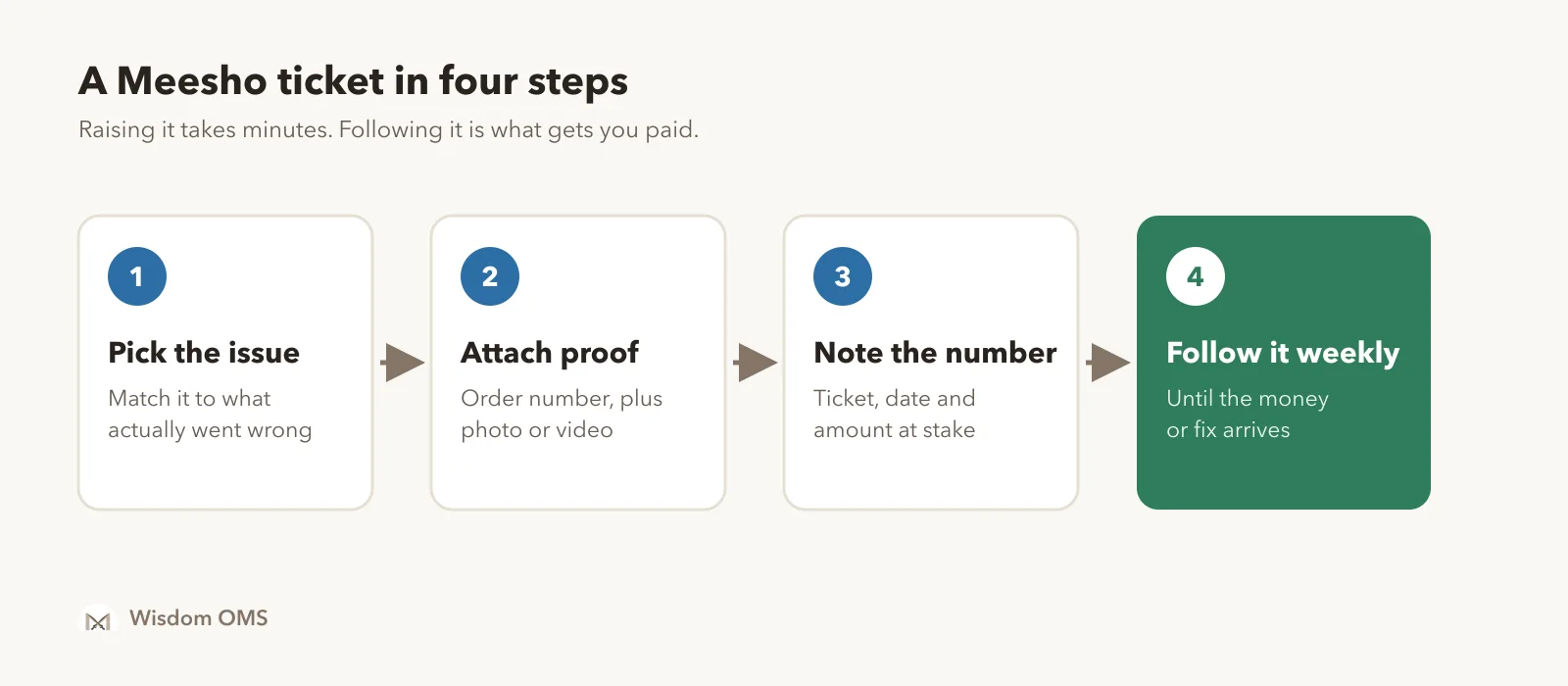
Open the Support section of your Supplier Panel, choose the concern that matches your problem, fill in the form, attach your proof and submit. Meesho changes its menu names from time to time, so if a label differs from what you read here, follow the closest match on your screen.
- Log in to the Supplier Panel on a computer if you can. Attaching files and videos is easier there.
- Open Support from the left-hand menu.
- Choose the category and concern closest to your problem, such as payments and penalties, or returns. Read the help text first, because some questions are answered there.
- Enter the order details the form asks for. Some forms want the sub-order number and some want the order number, so copy the right one.
- Attach your proof and write a short description.
- Submit, then note the ticket number with the date and the amount at stake.
Meesho's own learning hub gives one worked route: for a wrong penalty, go to Support, then Payments & Penalties, and choose the option for a penalty on an order. Other problems follow the same pattern.
Which ticket for which problem
Match the ticket to what actually went wrong, and collect the proof before you open the form. The table below covers the problems sellers raise most often. Treat the proof column as a good starting point; the form on your panel decides what is required.
| Problem | Where to look in Support | Proof to keep ready |
|---|---|---|
| Wrong, used, damaged or incomplete return | The return issue that matches what came back | Continuous unboxing video, photos of the item and label, sub-order number |
| Wrong penalty | Payments and penalties | Order number, the penalty line, why it is wrong |
| Payment short or missing | Payments and penalties | Order number, delivered date, expected and received amount |
| Courier did not collect the parcel | Pickup or logistics concern | Order numbers, AWB numbers, signed manifest if you have one |
| Label or scanning error | Orders or shipping concern | Order number, screenshot of the error |
| Weight or shipping charge dispute | Shipping charges concern | Video of the packed parcel on a scale, with length, breadth and height shown |
Return tickets have a short window, and it can change, so check the current one in your panel and open returns the day they arrive. Our guide to the Meesho wrong return claim covers the video, the five checks and the claim note in full. For short payouts, find the exact gap first with the steps in Meesho payment reconciliation, so your ticket names the amount instead of saying "payment is less".
What to write in the ticket
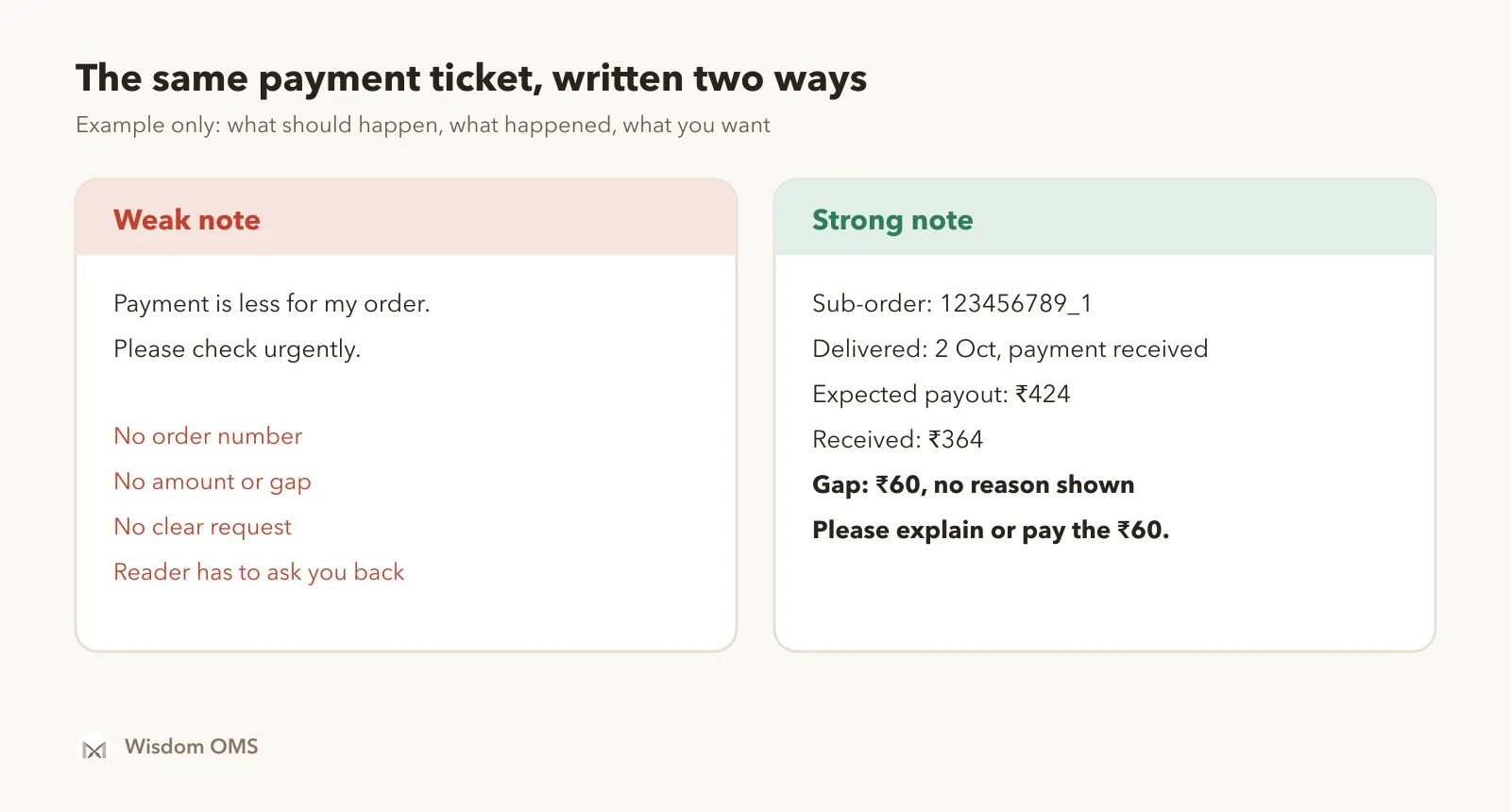
Write three facts: what should have happened, what actually happened, and what you want Meesho to do. Keep it to a few lines. The person reading it should be able to match your note to your proof in a minute.
A strong description also stays calm. Long complaints and guesses about the buyer or courier only slow the reader down. If several orders have the same problem, list every number once, and use one ticket per problem type unless the form tells you otherwise.
How to follow a ticket after you raise it
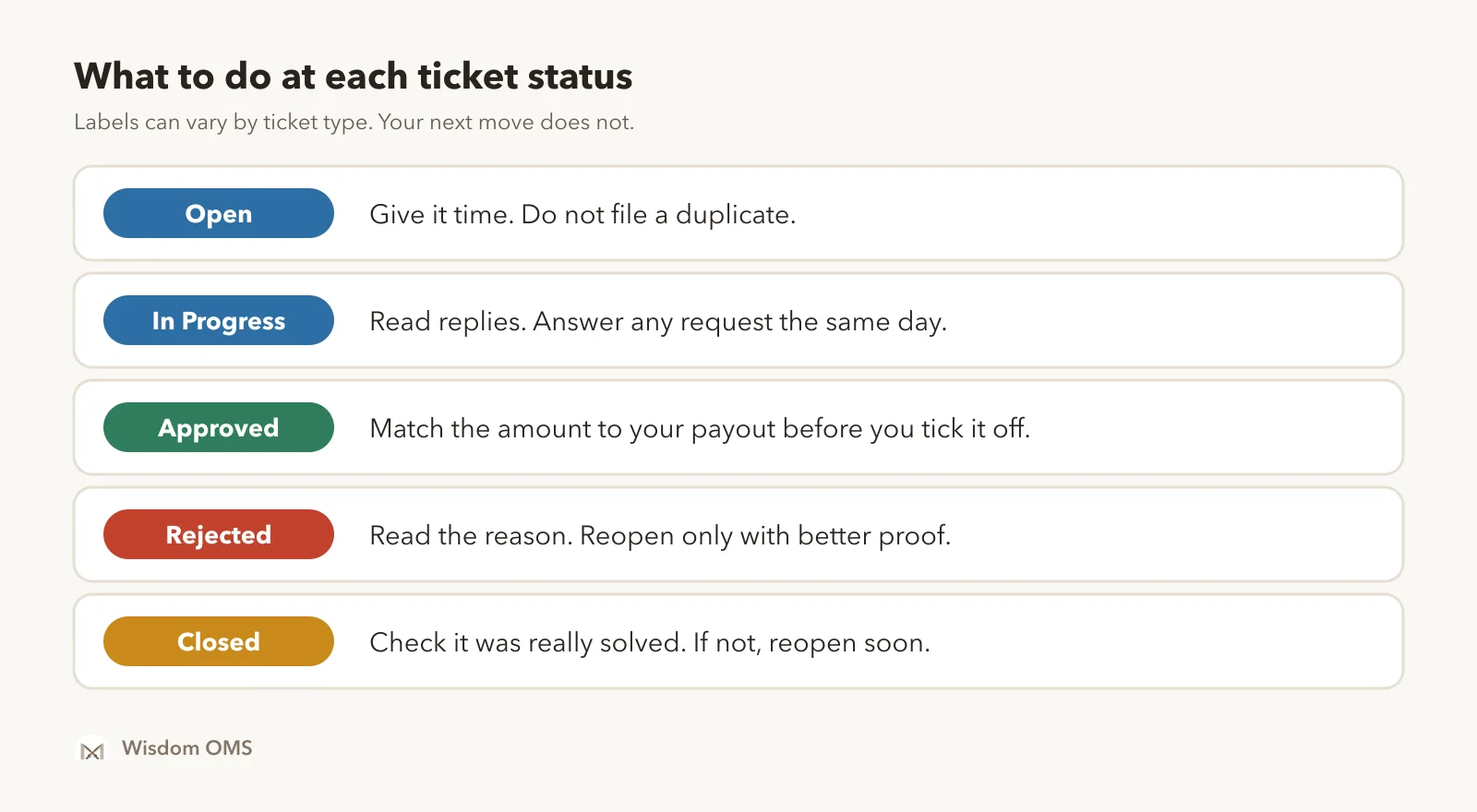
Check your open tickets on a fixed day each week, and read every reply. Status alone does not tell you whether you got your money. The tickets list in your panel shows each ticket with its status, and the labels may vary by ticket type.
Three habits keep tickets from going quiet:
- Keep one simple register. Ticket number, order number, date, amount, status and last reply. A notebook or sheet is enough at low volume.
- Answer requests the same day. If a reply asks for a clearer video or a document, send it inside the same ticket so the history stays together.
- Match approvals to your payout. An approved claim is a promise until the amount appears in your payments. Add a line to your weekly payment check, so a claim that was approved but never paid does not slip by. It also keeps your real profit per order honest.
What to do when a ticket is closed or rejected
Read the reason first, then decide whether you have something new to add. If you do, reopen the ticket or raise a fresh one with the better proof. If you have nothing new, close it in your own register and fix the cause.
Reopening is usually allowed only for a limited time, so check the ticket or claim tracking view soon after the reply arrives. A useful reopen note says what the earlier reply missed and points to the exact proof, such as the time in the video where the wrong item appears. Sending the same words again rarely changes the answer.
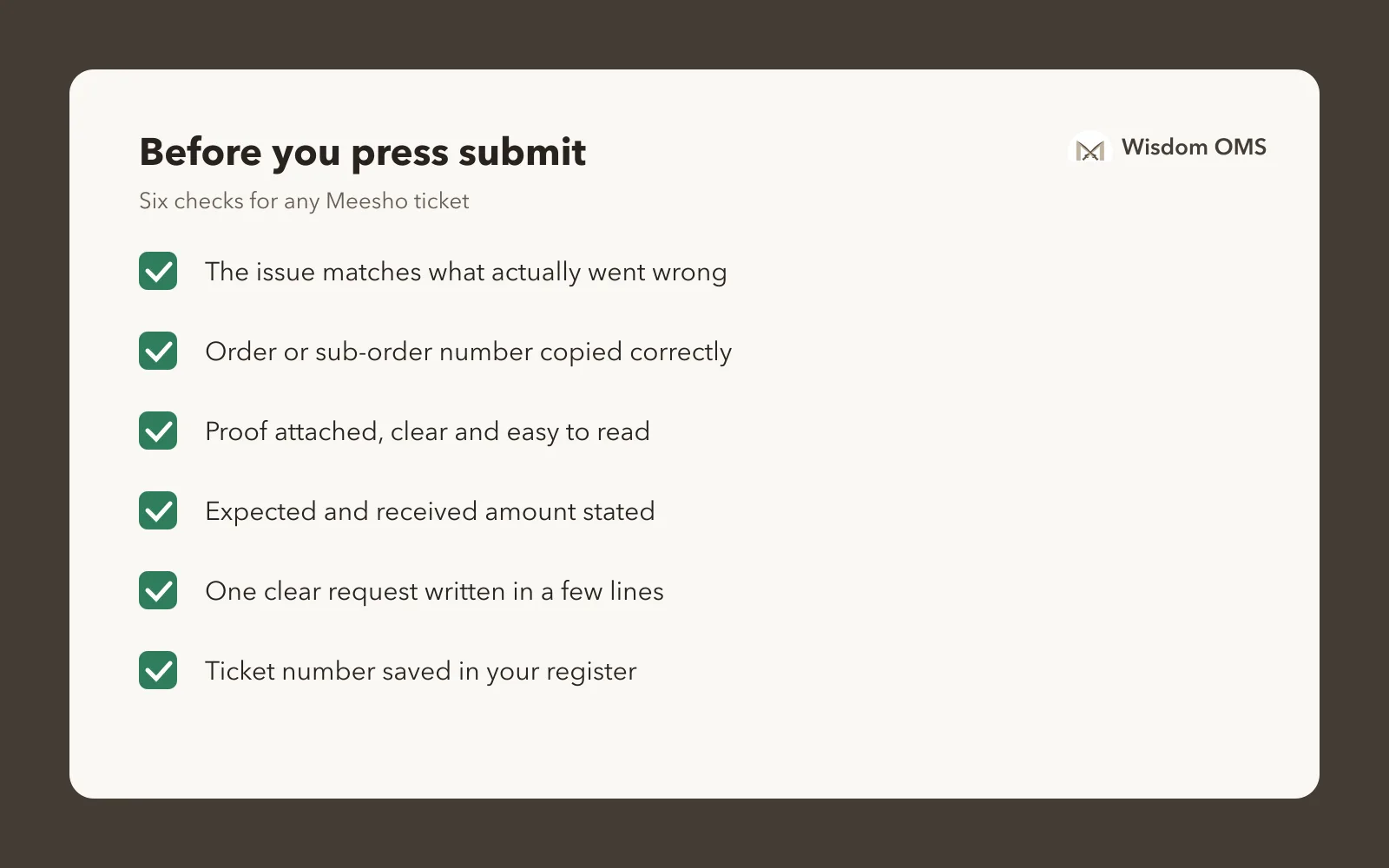
Look for patterns too. If the same product keeps coming back damaged, or one pickup keeps being missed, a ticket only recovers one loss. Better packing, a video at the packing desk or a word with your local courier hub stops the next one. Then use this card before pressing submit on any ticket:
How Wisdom OMS handles this
Wisdom OMS keeps Meesho tickets in one screen, so you do not have to log in to every store to chase them. Under Tickets, you can raise any Meesho support topic: payments, inventory, account, ads and the rest. Type a few words in the Search issue box to find the right category and issue, then fill in what Meesho asks for.
Each ticket shows its store, its real status and Meesho's latest reply. The On Meesho filter lets you pick Open, In Progress, Closed, Approved or Rejected, and the Closed, unpaid tab gathers the claims Meesho closed without paying you. Those are the tickets worth a second look each week.
Tickets also start where the problem shows up. Raise one straight from an Alerts card, or select orders your courier never collected in the RTD list and raise the complaint from Actions. Scan Return shows the days left to claim for each return, and when a claim is paid, the order's Money card shows the amount, date and UTR. See what Wisdom OMS does.
Frequently asked questions
How do I raise a ticket on Meesho as a seller?
Log in to the Meesho Supplier Panel, open Support, choose the concern that matches your problem, enter the order details, attach your proof and submit. Save the ticket number and check for replies in your tickets list. Menu names can change, so pick the closest match on your screen.
How do I check my Meesho ticket status?
Open the Support section of the Supplier Panel and go to your tickets list, which shows each ticket with its current status and replies. Return claims can also be followed in the claim tracking view of the returns area. Read the latest reply as well as the status, because it may ask you for more proof.
How long does Meesho take to reply to a ticket?
The time depends on the type of ticket, and Meesho can change it, so no single figure holds for every case. Check any time shown on your ticket or in your panel. If you need to follow up, add to the same ticket rather than raising a duplicate of the same problem.
What should I do if my Meesho ticket is closed but the problem is not solved?
Read the closing reply, then reopen the ticket if your panel still allows it, adding a clear note and any proof you did not send earlier. If reopening is not available, raise a fresh ticket that gives the old ticket number. Act soon, because the option to reopen may not stay open for long.
How do I complain if the Meesho courier did not pick up my orders?
Raise a pickup concern in the Support section with the order and AWB numbers, and attach a signed manifest if you have one. Do this quickly, because courier pickup and scan disputes can have a short deadline. Keep those parcels together until the issue is sorted, so they can go out on the next pickup.
Raise it once, then see it through
A Meesho ticket works when it has the right issue, the right proof and someone following it to the end. Set one day a week for tickets, keep a short register and treat closed-without-payment as a task, not a result. If you also sell on other marketplaces, the same habit carries over; our Myntra seller order processing guide shows how to keep the proof ready from the day you pack.
When tickets grow beyond a sheet, start free with Wisdom OMS or get the Wisdom app on Google Play.