
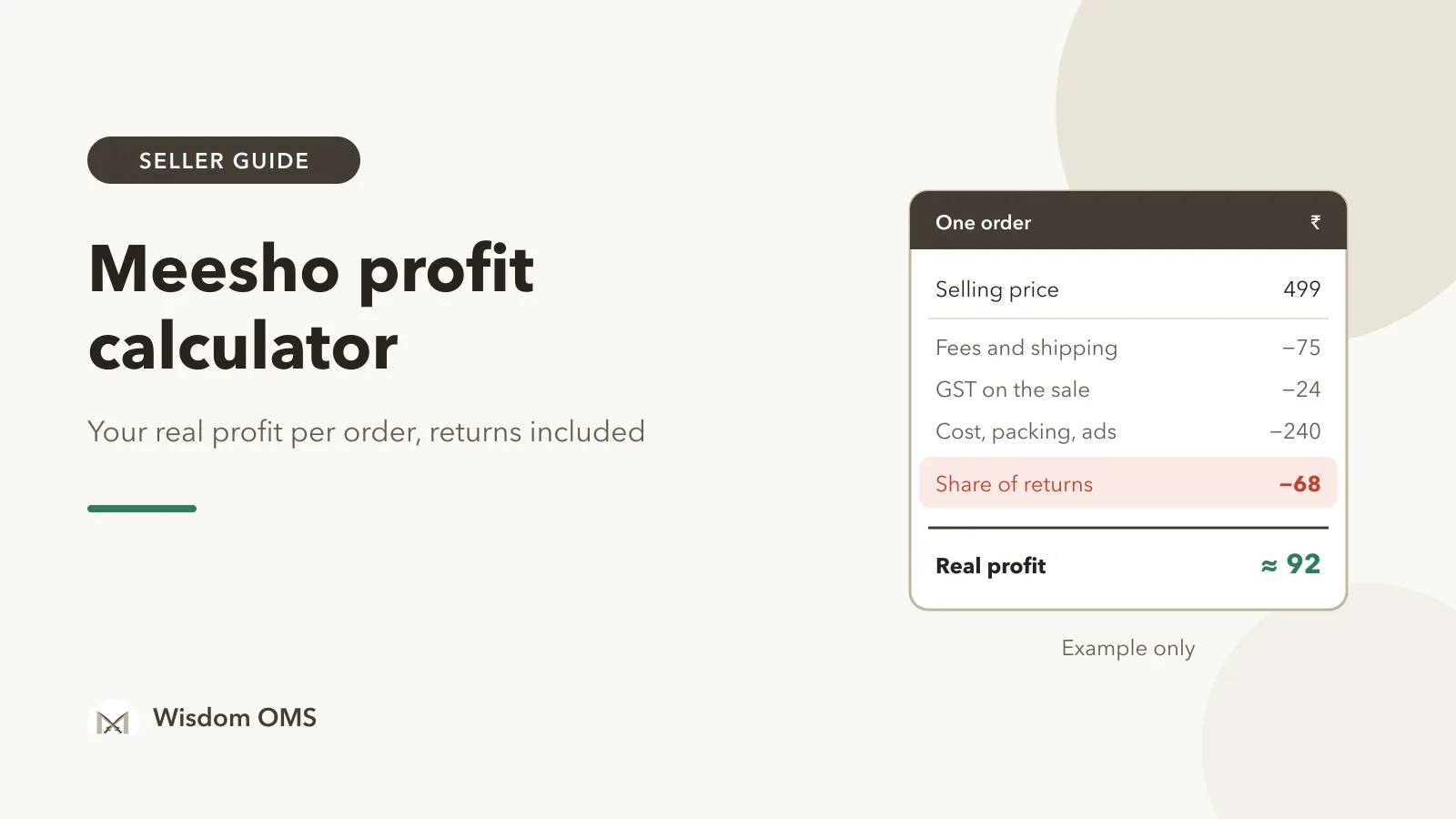
You sell a kurti on Meesho for ₹499. It cost you ₹220 to buy or make. That looks like ₹279 of profit, and on a busy day of 100 orders it feels like you made ₹27,900. Then the month ends, the bank balance has not grown anywhere near that much, and you cannot say where the money went.
Most of the gap is not a mystery. It is shipping and fees taken before the payout, the GST you owe on the sale, packing and ads, and above all the parcels that came back. A real Meesho profit calculator has to count all of them, not just price minus cost. This guide walks through the method order by order with one worked example, so you can calculate your real profit per order in a spreadsheet today. The same method works for Flipkart, Amazon, Myntra and Snapdeal.
Key takeaways
- Start from the payout the marketplace shows for an order, not from the selling price. Shipping and fees are already taken out of it.
- If you are GST-registered, the selling price includes GST. Take your output GST out before you call anything profit.
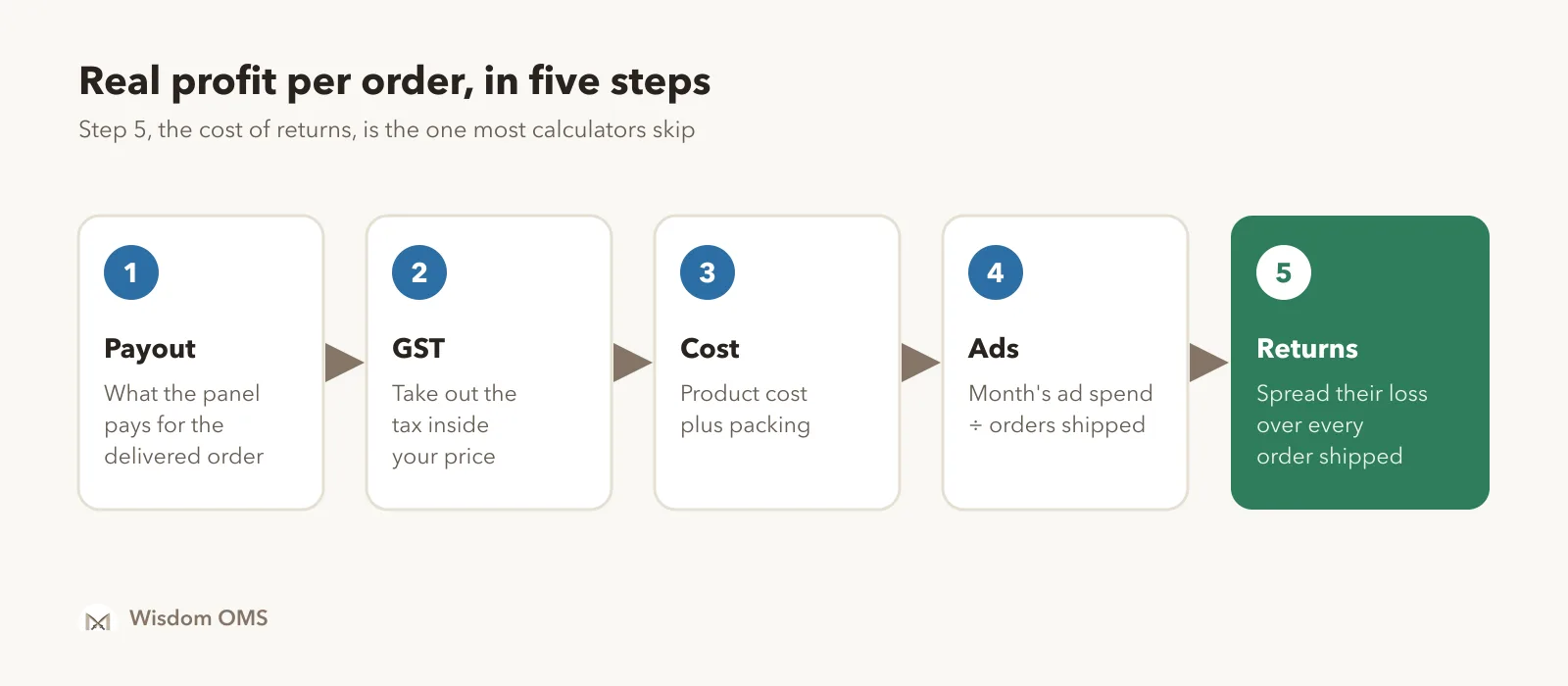
- Returns and RTO are the biggest hidden cost. Spread their loss over every order you ship, or your profit per order will look far better than it is.
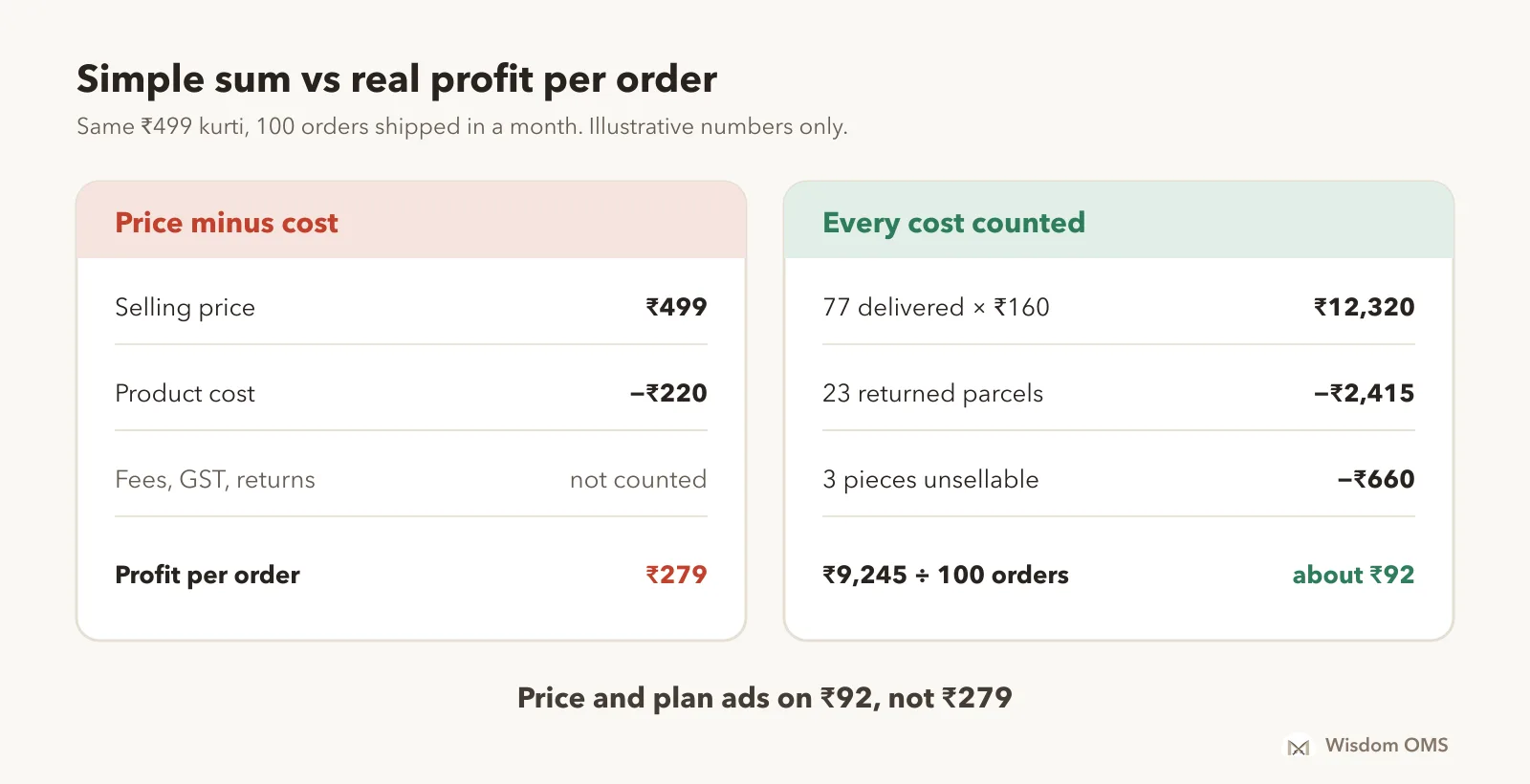
- In our example the "simple" profit is ₹279 per order, but the real cash left is about ₹92 per order shipped. Price, ads and catalogue decisions should use the second number.
The profit per order formula
Profit per order is the money you keep after every cost of that order, including a fair share of the orders that came back. Written out, it is:
Profit per delivered order = Payout − GST on the sale − Product cost − Packing − Ads per order
Real profit per order shipped = (Profit on all delivered orders − Loss on all returned orders) ÷ Orders shipped
A few terms, once. The payout (or settlement amount) is what the marketplace pays you for one delivered order, after its shipping charges, fees and GST on those fees. Output GST is the tax included in your selling price that you must pay to the government. RTO (return to origin) means the buyer never accepted the parcel and it came back. A customer return means the buyer accepted it and sent it back later. Cash margin is the profit left in rupees once all of the above is counted.
Worked example: one ₹499 kurti, step by step
Here is the formula with real-looking numbers. Every number below is illustrative. Your own payout, GST rate and costs will differ, so copy the steps and use your figures.
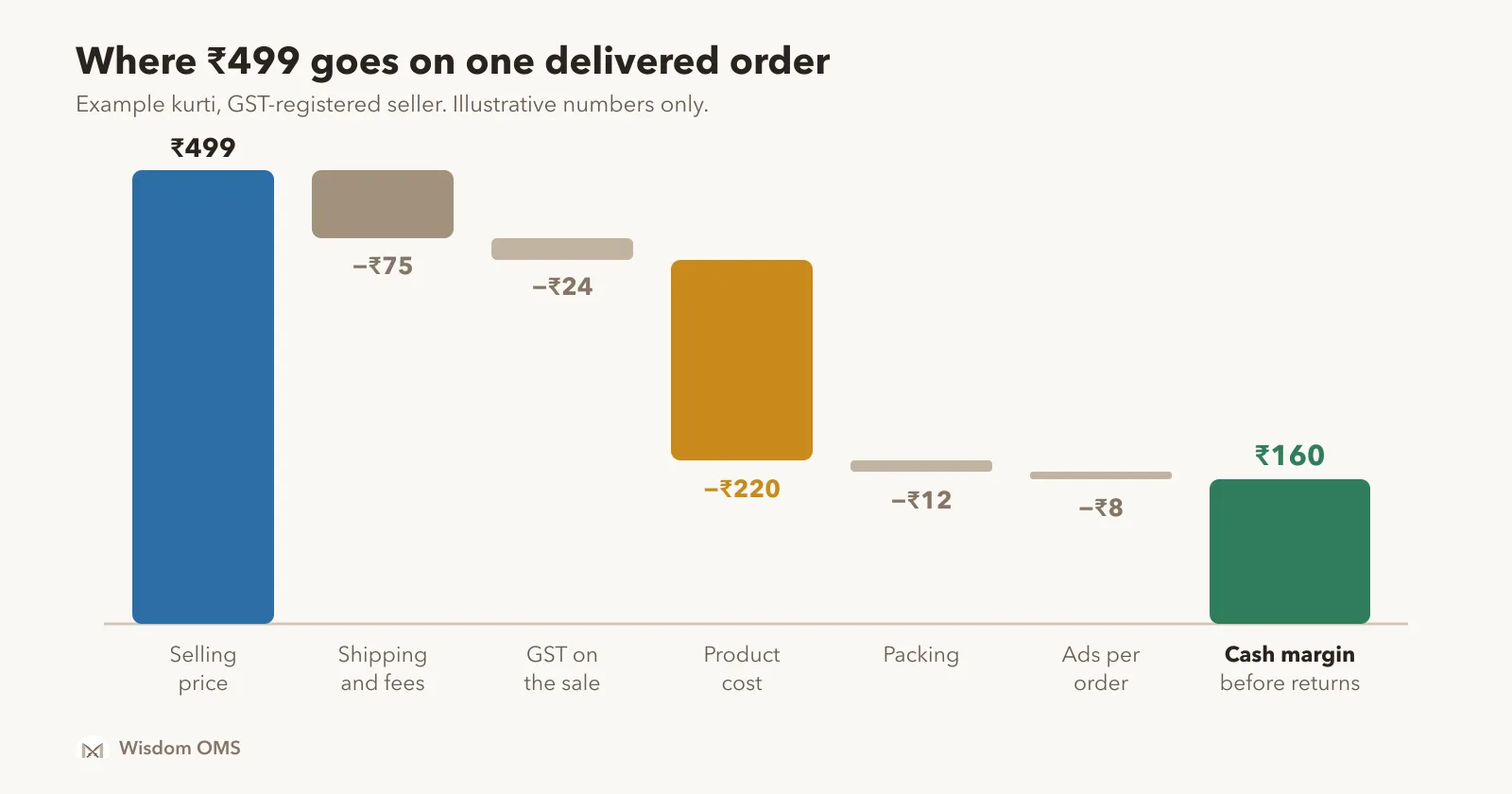
- Selling price: ₹499. This is what the buyer pays.
- Payout: ₹424. Say the Supplier Panel shows ₹75 of shipping, fees and GST on those fees for this order, so the payout is ₹424. Use the settlement amount shown on your own panel for that order.
- GST on the sale: ₹24. If you are GST-registered and the kurti is taxed at 5%, the GST inside ₹499 is 499 × 5 ÷ 105 = ₹23.76, about ₹24. Check the rate for your own HSN code.
- Product cost: ₹220. What the piece cost you to buy or make.
- Packing: ₹12. Poly bag, tape, label and the invoice copy.
- Ads: ₹8 per order. Your ad spend for the month divided by orders shipped. If you run no ads, this is zero.
So one delivered order leaves ₹424 − ₹24 − ₹220 − ₹12 − ₹8 = ₹160. That is the cash margin of a delivered order.
A note on tax withheld. Your bank credit can be a few rupees lower than the payout, because marketplaces collect TCS under GST and TDS under income tax from it. Both reduce the cash you receive today, but they are credited to you and can be claimed when you file, so they are not a cost of the order and stay out of this calculation. Treat them as money held, not money lost. The GST portal shows TCS credited against your GSTIN.
The cost most sellers leave out: returns and RTO
Every returned parcel costs you money and earns nothing, so its loss must be spread over the orders that were delivered. Skip this step and your profit per order can look nearly twice as good as it really is.
Continue the example. Say you ship 100 orders in a month. 77 are delivered and 23 come back, as RTO or customer returns. These rates are for the example only; use your own, from your panel's returns report.
| Line | Working | Amount |
|---|---|---|
| Profit on delivered orders | 77 × ₹160 | ₹12,320 |
| Charges on returned parcels | 23 × ₹85 (example; check your panel) | −₹1,955 |
| Packing and ads already spent on them | 23 × (₹12 + ₹8) | −₹460 |
| Pieces that came back unsellable | 3 × ₹220 | −₹660 |
| Cash left for the month | ₹9,245 | |
| Real profit per order shipped | ₹9,245 ÷ 100 | about ₹92 |
Return charges and whether an RTO is charged differ by marketplace and change over time, so take the per-parcel figure from your own payment file rather than from a blog. Also check every return that comes back: a wrong or damaged item is a claim, and getting it paid moves money back into this table. Our guide to the Meesho wrong return claim covers how.
Expected vs received: check the profit after the money arrives
The profit you calculate when an order is placed is an estimate. The real figure is known only after the order is paid, so compare the two for every order.
Work in two passes. When an order comes in, write its expected profit using the payout your panel shows. When the payment file arrives, replace it with the received amount and recalculate. Orders where received is lower than expected are worth a look: a penalty, a weight dispute that raised the shipping charge, or a payment that has not come at all. Our post on Meesho payment reconciliation shows how to match orders and payouts, and the Flipkart settlement report guide does the same for Flipkart, where commission and fixed fees appear as separate lines.
Two habits make the numbers useful:
- Set a minimum margin. Pick a floor, such as ₹40 an order or 10% of the price, and list every product below it once a month. Those are the ones to reprice, stop advertising or drop.
- Look per product and per store. One average hides a loss-making product behind a good one. The same product can earn well on one marketplace and lose money on another because the fees and return rates differ.
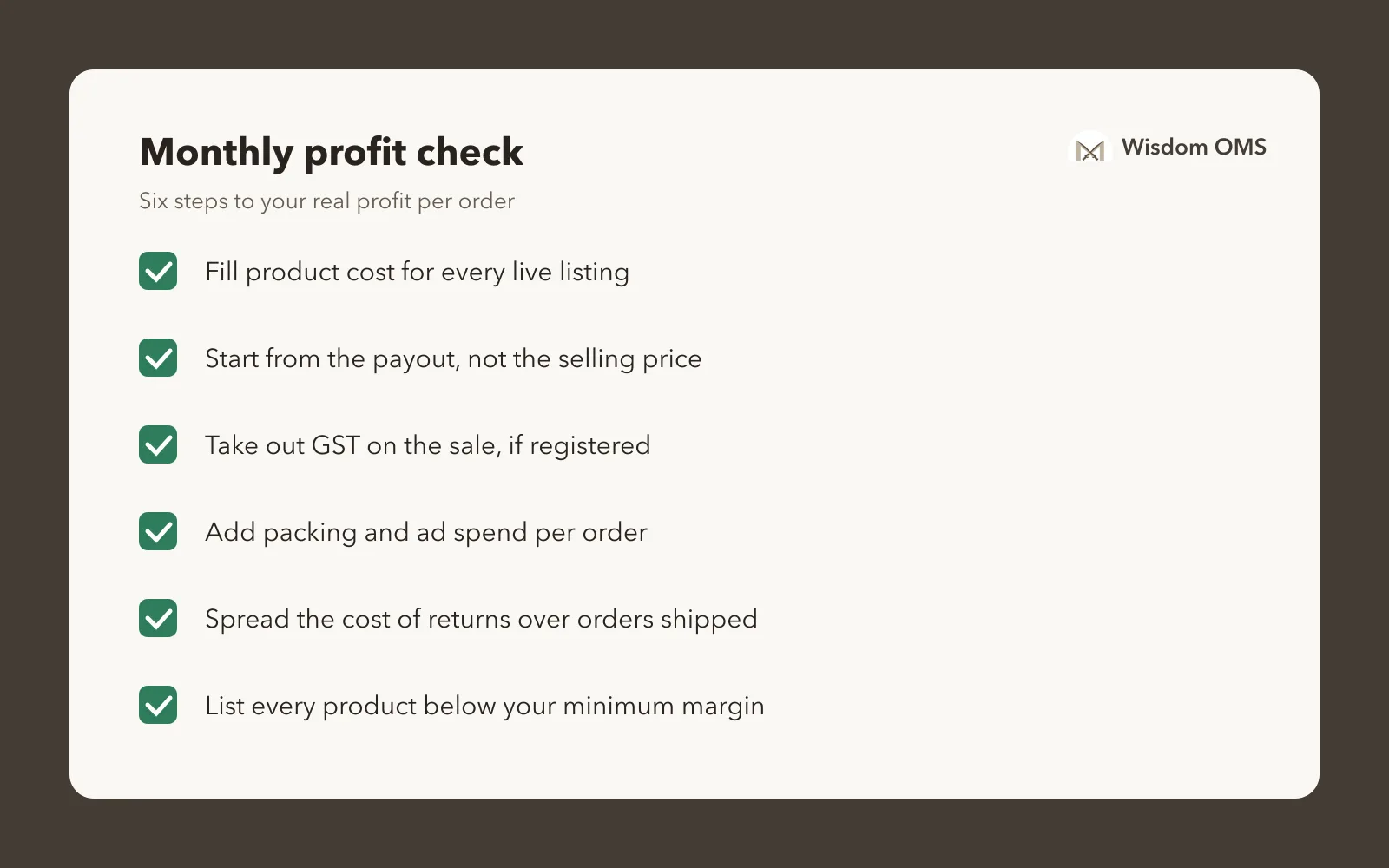
How Wisdom OMS handles this
Wisdom OMS works out the cash margin of every order after marketplace deductions, so you do not have to rebuild this sheet each month. Each order shows its margin with the numbers behind it: settlement revenue, shipping, fees and taxes where the marketplace reports them. Expected, estimated and received amounts are clearly marked, and new, unpaid orders show an estimated margin until the payment is known.
You fill your purchase cost once in Product Costs, where a Live listings only box hides paused and inactive listings so you can fill what is selling. Then set a minimum margin in rupees or percent, highlight low-margin orders and filter the order list to them.
Under Analytics, the Profit & Loss report shows each store's Profit %, and the profit turns red when a store is at a loss. Estimated profit counts the expected payout of unpaid orders and the cost of returns that never came back, shown as Goods not back ₹. Pick any date range, such as a whole month, and print wide reports such as the Net Profit Report as a PDF. Every store you connect gets its own card under Platform Breakdown in the same report. See more on the Wisdom OMS product page.
Frequently asked questions
How do I calculate profit on Meesho?
Start from the settlement amount the Meesho Supplier Panel shows for a delivered order, then subtract the GST you owe on the sale (if you are GST-registered), your product cost, packing and ad spend per order. Then subtract the loss on returned and RTO parcels and divide by all orders shipped. That gives your real profit per order.
Is there a free Meesho profit calculator for sellers?
A spreadsheet works as a free Meesho profit calculator. Put one row per product with payout, GST, product cost, packing and ads, and one cell for your return rate and loss per returned parcel. Keep the payout and return figures from your own panel, because fees and charges change and differ between products.
What is a good profit margin for an online seller in India?
There is no single right number, because it depends on your category, price and return rate. A practical approach is to set a minimum in rupees per order shipped, after returns, and review every product below it each month. Products that stay below it should be repriced, advertised less or dropped.
Do RTO and returns reduce my profit on Meesho?
Yes. A returned or RTO parcel earns no payout, and you have already spent on packing and ads for it, plus any return charges your payment file shows. Some pieces also come back damaged. Spread this loss over all orders shipped to see your real profit per order.
Is TCS a cost for marketplace sellers?
No. TCS withheld under GST is credited to your GSTIN and can be claimed when you file, so it is money held rather than money lost. It does reduce the cash you receive today, so keep it in mind when you plan stock purchases.
Know your real number before you price
A Meesho profit calculator is only as honest as the costs it includes. Start from the payout, take out GST, product cost, packing and ads, then spread the cost of returns over every order you ship. Do it once a month, per product and per store, and the losing products show themselves. For a wider view of what changes as order volume grows, read managing 50 to 50,000 orders. Start free with Wisdom OMS and see the cash margin of every order on one screen. Prefer your phone? Get the Wisdom app on Google Play.