
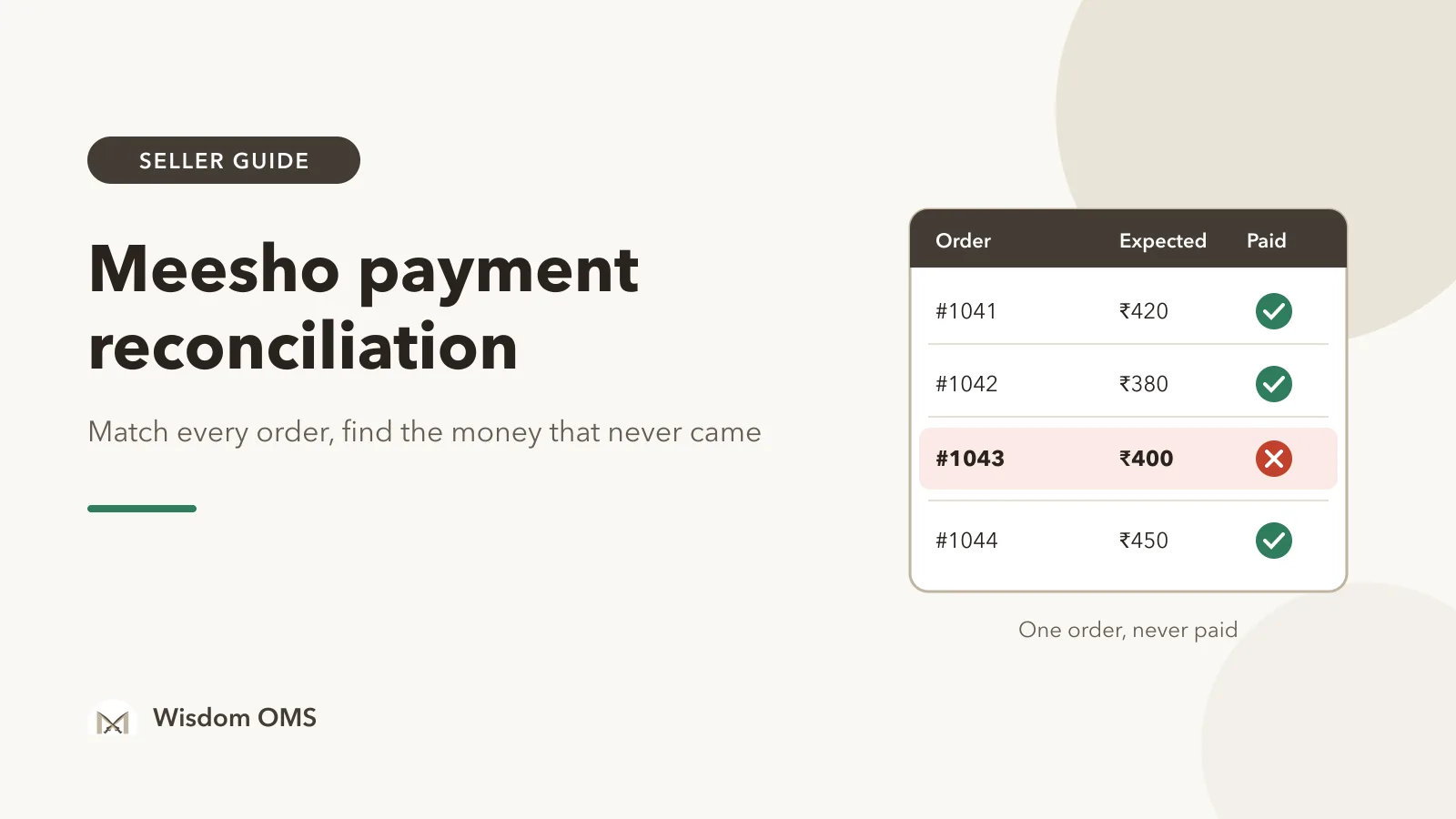
You shipped 40 orders last week. The Supplier Panel showed them delivered, the sale felt good, and then the bank credit came in at ₹9,000 when you were expecting closer to ₹16,000. Was that returns? Orders still in the payment cycle? A penalty you never saw? Or money that simply never came? Without checking order by order, you cannot tell, and it is easy to move on and lose a few hundred rupees without noticing.
Meesho payment reconciliation means matching every order you shipped against the money that actually reached your bank, and explaining each rupee of difference. This guide gives you a simple weekly routine you can run with the Supplier Panel and a spreadsheet: what to download, how to match it, how to sort every gap into one of three buckets, and when to raise a ticket.
Key takeaways
- Reconcile order by order using the sub-order number, not by comparing weekly totals. Totals hide the one order that was never paid.
- Every gap between expected and received money falls into one of three buckets: not due yet, an explained deduction, or unexplained. Only the last one needs a ticket.
- Check the payment cycle shown on your own Supplier Panel, then list delivered orders that are still unpaid well past it. That list is your money to chase.
- Finish by ticking off each payout against your bank statement, so you know the money really arrived and not just that it was "settled".
What Meesho payment reconciliation actually means
Reconciliation is a three-way check: what you shipped, what Meesho says it paid, and what your bank received. When all three match for an order, that order is closed. When they do not, you find out why.
A few terms you will meet along the way. A sub-order number is Meesho's ID for one item in an order; payment files list money against it, so it is the key you match on. A settlement is a payout Meesho sends to your bank, usually covering many orders at once. A deduction is any amount taken off a payout, such as a penalty, a charge on a returned parcel or a recovery. RTO (return to origin) means the buyer never accepted the parcel and it came back to you.
Step by step: reconcile one week of orders
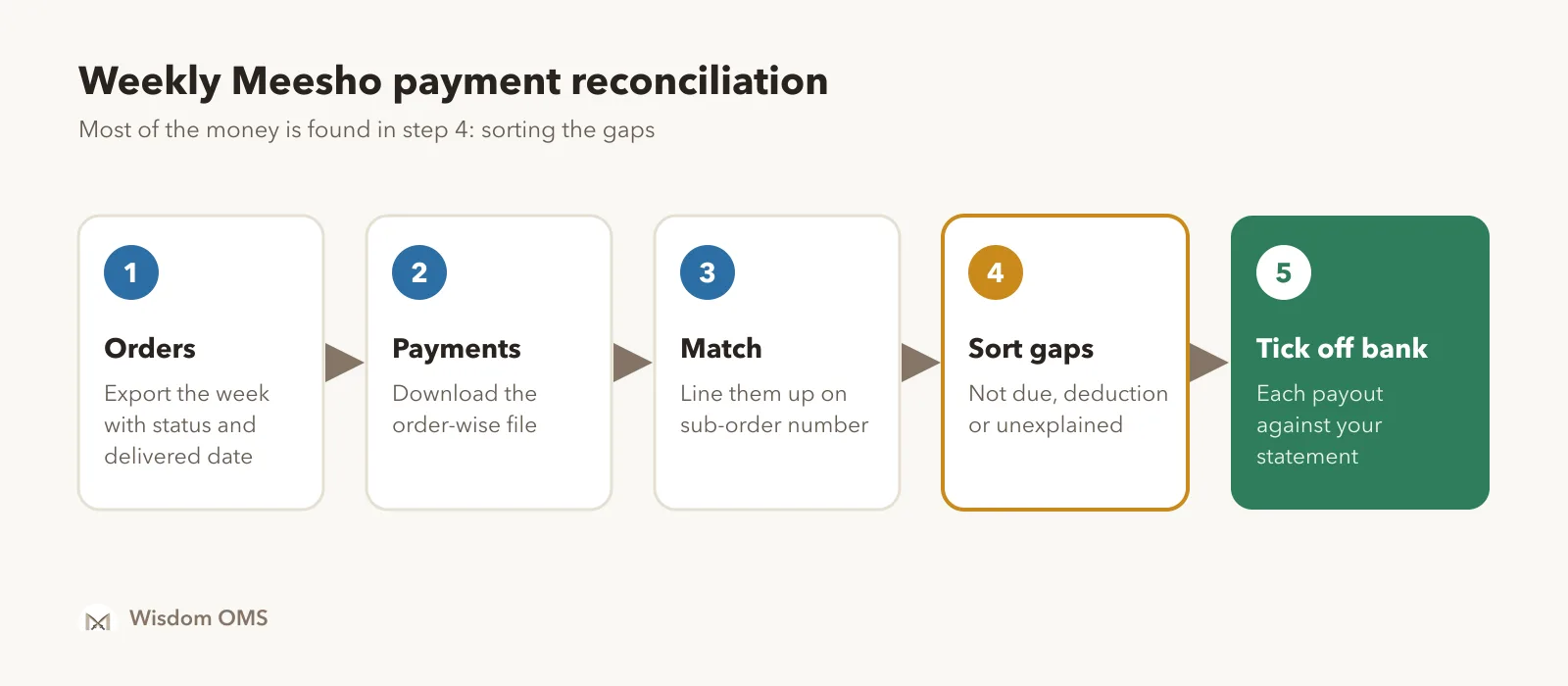
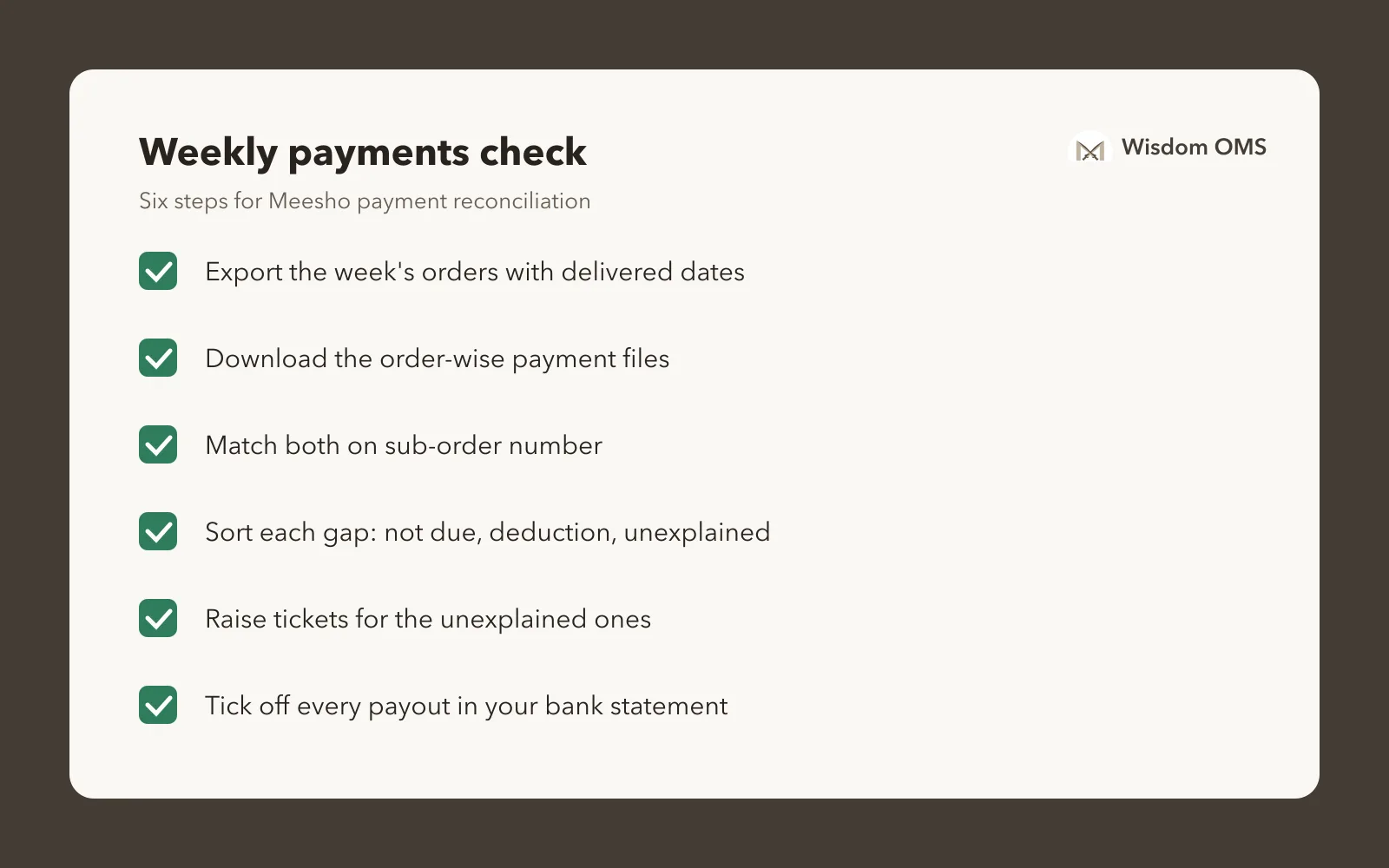
The short version: put orders and payments side by side, match them on sub-order number, and look only at the rows that do not match. Here is the full routine.
- Export your orders. From the Supplier Panel, download the orders for the week you are checking, with sub-order number, status (delivered, returned, RTO, cancelled) and delivered date.
- Download the payment file. The Payments section of the Supplier Panel lets you download order-wise payment details for each settlement. Menu names change from time to time, so if you cannot find it, check the help section of your own panel.
- Match on sub-order number. Put both files in one spreadsheet and use a lookup (VLOOKUP or XLOOKUP) to bring each order's paid amount and payment date next to it.
- Work out the expected amount. For each delivered order, note what you expected to receive: the settlement amount the panel shows for that order, or your own price after the charges listed on the panel.
- Filter the mismatches. Show only rows where paid is blank, or paid is less than expected. On a normal week, this should be a short list.
- Sort each mismatch into a bucket (next section), and write the bucket in a new column.
- Tick off the bank. Match each settlement total in the payment file against a credit in your bank statement.
Keep the same spreadsheet and add a new tab each week. Unpaid rows from last week carry forward until they are paid or raised.
Why your bank credit is less than your orders
The bank credit is almost always less than the value of the orders you shipped, and most of the difference is normal. The goal is to make the small, unexplained part visible instead of letting it hide inside the big, normal part.
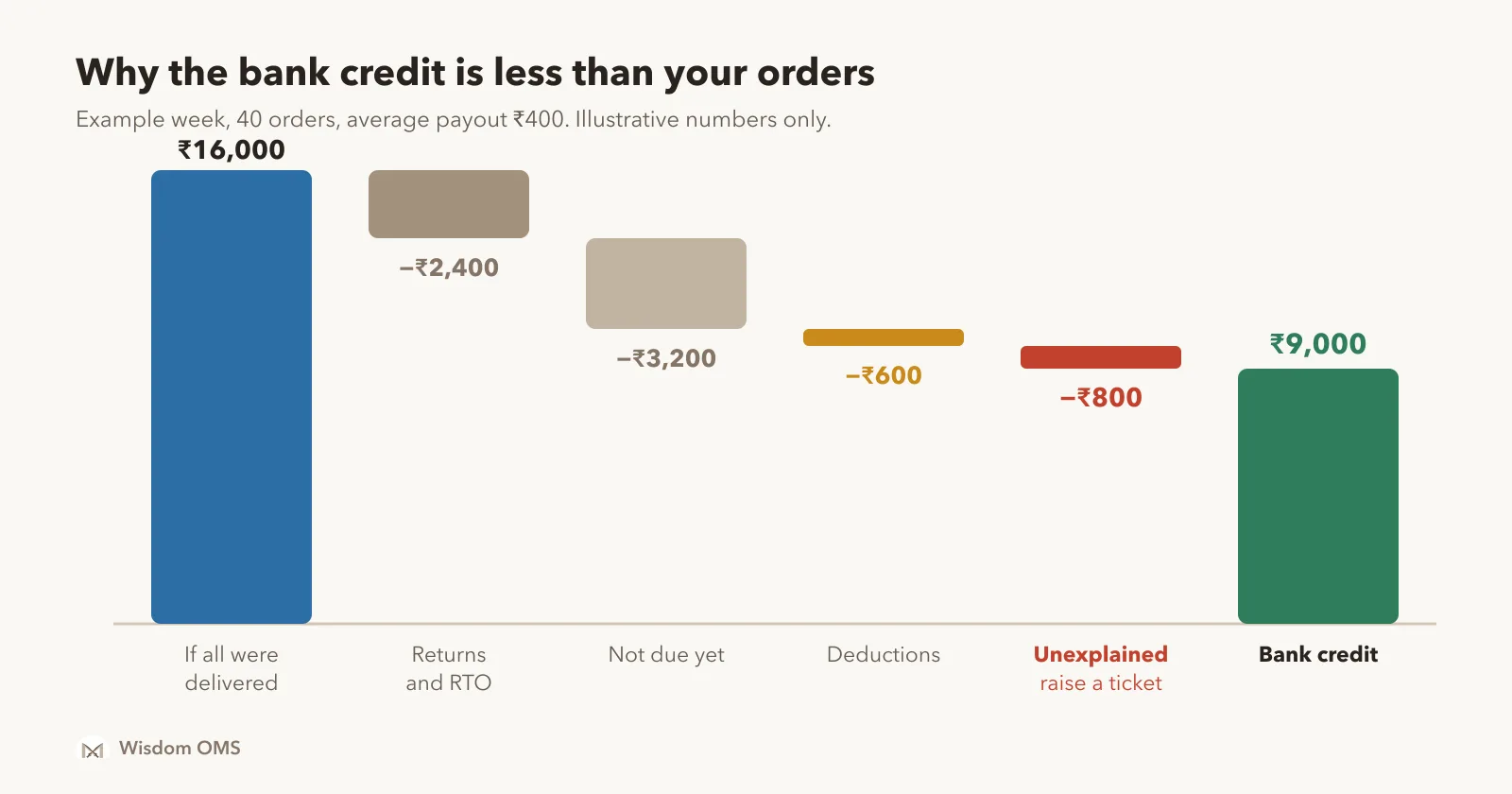
Here is that week worked through. Say 40 orders went out with an average payout of ₹400, so ₹16,000 if every one was delivered and paid. Six came back as returns or RTO and earn no payout: −₹2,400. Eight were delivered late in the week and are still inside the payment cycle: −₹3,200, which should arrive in a later settlement. Deductions for penalties and return charges listed in the payment file come to −₹600. That leaves ₹9,800 you should have received, but the bank shows ₹9,000. The last ₹800, two orders that were delivered and are past due with no payment, is the real problem. Over a month, that kind of leak can quietly cost a small seller a few thousand rupees.
Sort every gap into three buckets
Each unmatched order belongs to one of three buckets, and each bucket has a different next step. Sorting first stops you from raising tickets for money that is simply not due yet.
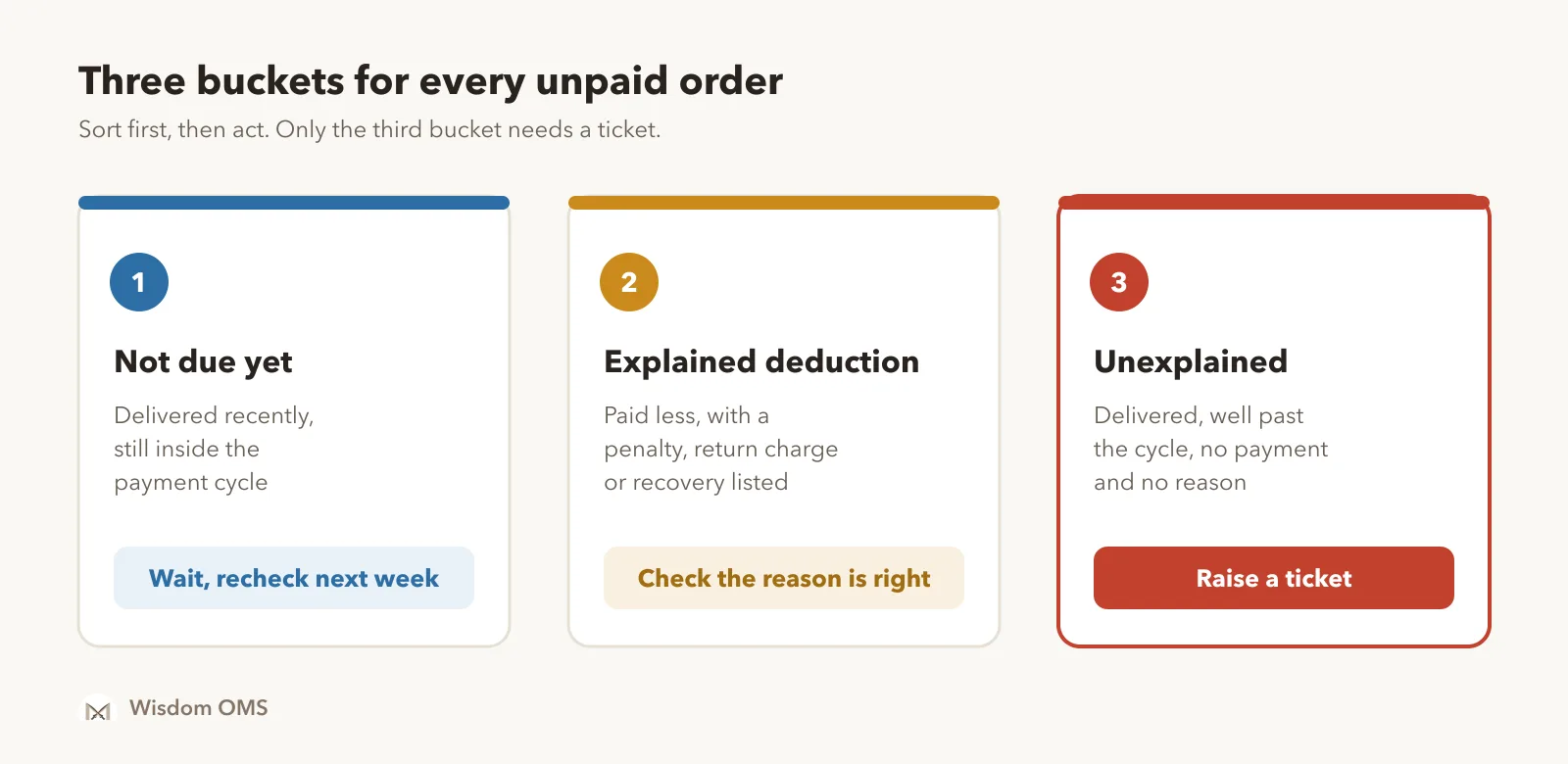
| Bucket | How you recognise it | What to do |
|---|---|---|
| Not due yet | Delivered recently, still inside the payment cycle shown on your panel | Leave it. Recheck next week. |
| Explained deduction | Paid less, and the payment file shows a penalty, return charge or recovery for that order | Check the reason is right. A deduction on an order you did ship correctly can be disputed. |
| Unexplained | Delivered, well past the cycle, and no payment or reason at all | Raise a ticket on the Supplier Panel with the sub-order number, delivered date and expected amount. |
Returned orders need one more check: did the parcel actually come back to you, and was it the right product? If a wrong or damaged item came back, that is a claim, not a payment issue. Our guide to the Meesho wrong return claim covers how to scan, prove and get paid for those.
When a Meesho payment is not received
If a delivered order is well past the payment cycle on your panel and has no payment and no deduction, raise a ticket. Do it in a batch once a week rather than one order at a time, and keep a record so nothing is raised twice or forgotten.
- Confirm the order shows as delivered and the delivered date is older than your panel's payment cycle.
- Search the payment files for that sub-order number once more. Sometimes it was paid in a different settlement than you expected.
- Raise a payment ticket from the Supplier Panel's support section with the sub-order number, delivered date and the amount you expected.
- Note the ticket number in your sheet next to the order, and recheck the ticket every few days.
- When the money comes, mark the row paid and note which settlement it came in.
Keeping all of this in a spreadsheet works, but it takes time every week, and the sheet grows quickly when you sell on more than one marketplace. Our post on the true cost of spreadsheets looks at where those hours go.
How Wisdom OMS handles this
Wisdom OMS brings your Meesho payments into the same place as your orders, so the matching is already done when you open it. The Payments screen shows what settled today, yesterday and this month, with daily and monthly summaries you can export. Type any order number into the search box to see its expected and received payment side by side.
Payments > Unpaid lists orders that have not been paid, each with its delivered date, and the Unpaid > 10 days after delivery chip pulls up late payments in one click. Under Analytics, Settled Recon splits the gap into tiles such as Return in flight, On hold, Adjustments and Unsettled, and clicking a tile lists the orders it counts. Bank Recon lets you tick off the payouts that reached your bank; whatever is left is money that has not arrived.
When an order needs a ticket, you can raise any Meesho ticket, payments included, from Wisdom, and the Closed, unpaid tab gathers claims that were closed without paying you. Flipkart and Myntra payments land in the same screens once you upload their settlement reports. See more on the Wisdom OMS product page, or read what an order management system does.
Frequently asked questions
How do I do Meesho payment reconciliation?
Download your orders and the order-wise payment file from the Meesho Supplier Panel, then match them on sub-order number in a spreadsheet. Filter the orders that are unpaid or short-paid and sort each into not due yet, explained deduction or unexplained. Raise tickets only for the unexplained ones, then tick off each settlement against your bank statement.
What is the Meesho payment cycle for sellers?
Meesho pays sellers a set number of days after an order is delivered, and the cycle can change over time. Check the current payment cycle on your own Supplier Panel rather than relying on a number from a blog or video. Use that cycle to decide when an unpaid delivered order counts as late.
What should I do if a Meesho payment is not received?
First confirm the order is delivered and older than the payment cycle on your panel, and search your payment files for its sub-order number in case it came in another settlement. If there is still no payment or deduction, raise a payment ticket from the Supplier Panel with the sub-order number, delivered date and expected amount. Note the ticket number and recheck it every few days.
How can I track Meesho payments order by order?
The Payments section of the Supplier Panel shows settlements and lets you download order-wise details. To track each order, keep a sheet that lists every sub-order with its expected amount, paid amount and payment date. An order management tool such as Wisdom OMS can do this matching for you and show unpaid orders with their delivered date.
Why is my Meesho payout less than my order value?
A payout is usually less than the value of orders shipped because returned and RTO orders are not paid, recently delivered orders are still inside the payment cycle, and penalties or return charges are deducted. Whatever is left after these three is unexplained and worth raising with Meesho.
Close every order, every week
Meesho payment reconciliation is not about big sums vanishing. It is about the two or three orders a week that quietly never get paid. Match on sub-order number, sort every gap into three buckets, raise tickets only for the unexplained ones and tick off your bank. Once your payments are in order, our guide to Meesho label crop keeps dispatch quick too. Start free with Wisdom OMS and see every order's expected and received payment on one screen. Prefer your phone? Get the Wisdom app on Google Play.