
It is the 9th of the month. Your CA has sent a message: "Send the sales data for GSTR-1." You open four seller panels. Meesho gives you one GST file, Flipkart a sales report, Amazon two tax reports, and Myntra its own sheets. The columns don't match, the returns are shown differently in each, and by evening you still have no single number for "total sales this month".
GSTR-1 for ecommerce sellers is one return per GSTIN, however many marketplaces you sell on. The work is in turning four different reports into one set of figures your CA can file. Get it wrong and the cost is real: sales reported twice, returns left out so you pay GST on parcels that came back, or a notice months later because your figures don't match what the marketplaces reported. This guide shows which report to take from each marketplace, which GSTR-1 table each number goes to, and how to check it in ten minutes.
Key takeaways
- You file one GSTR-1 per GSTIN, not one per marketplace. Sales from Meesho, Flipkart, Amazon and Myntra all go into the same return.
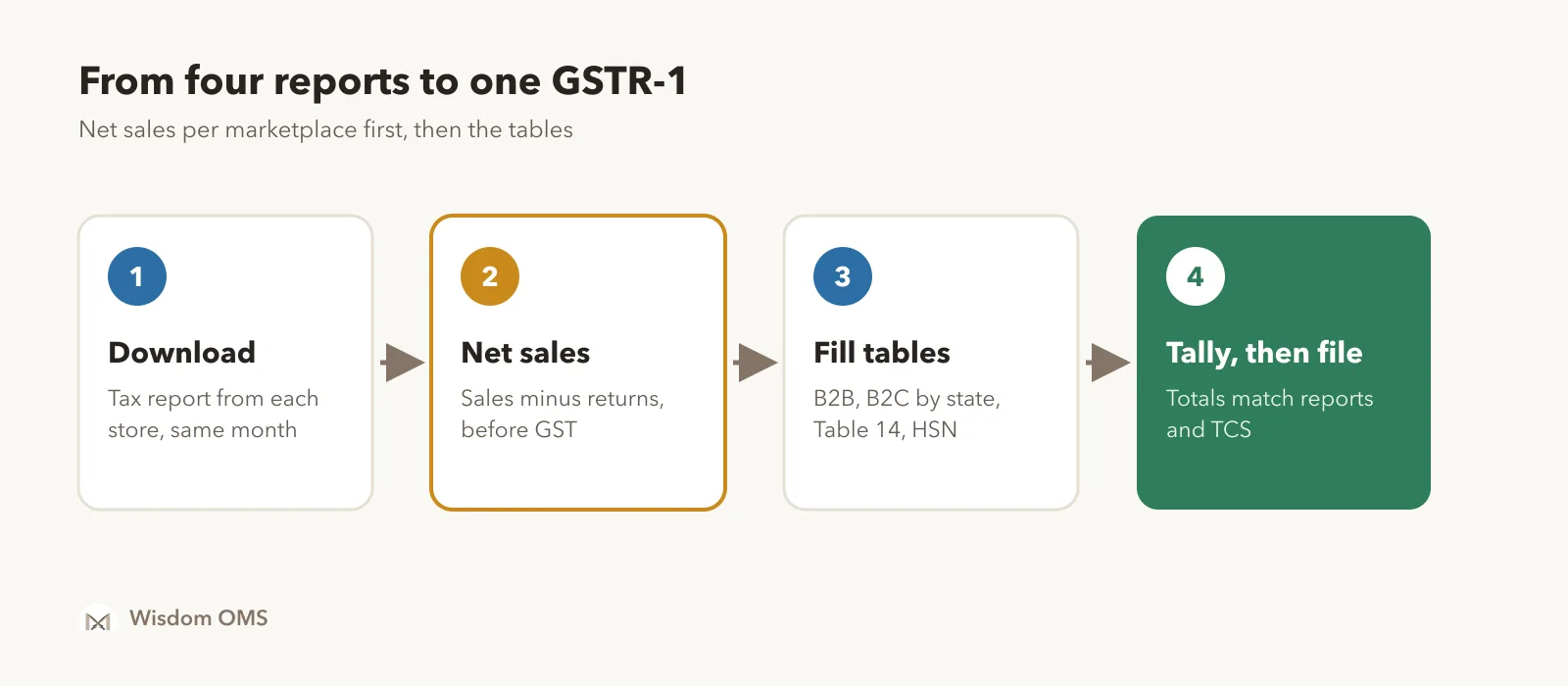
- Work from net sales: sales minus returns for the month, before GST, marketplace by marketplace.
- Each marketplace also reports your sales to the government with its TCS. Your GSTR-1 should agree with those figures.
- A simple tally (marketplace totals = Table 14 total = B2B + B2C totals) catches most mistakes before you file.
What is GSTR-1, and when is it due?
GSTR-1 is the monthly (or quarterly) return in which you report your sales to the GST department. You pay the tax separately, in GSTR-3B. If you file monthly, November's GSTR-1 is due on 11 December. Sellers under the quarterly QRMP scheme file once a quarter, so October to December sales are due by 13 January. The GST portal shows the due date for your own GSTIN.
For a marketplace seller, three parts of GSTR-1 matter most:
- B2C sales (to buyers without a GSTIN): reported as totals by the buyer's state and GST rate, not order by order.
- B2B sales (to buyers with a GSTIN, common on Amazon Business): reported invoice by invoice.
- Table 14, sales made through e-commerce operators: one line per marketplace, with that marketplace's GSTIN and your net sales through it. The GST portal's help page for Table 14 explains each field.
The HSN summary (Table 12) and the document summary (Table 13) are filled from the same data. If you are new to GST on marketplaces, read GST for Meesho sellers first. It covers registration, TCS and the monthly calendar.
Which report to download from each marketplace
Download the tax or sales report that lists every shipped order and every return for the month, with GST rate and buyer state. A payout or settlement report is the wrong file: it shows money received, which is after fees and arrives on a different date.
| Marketplace | Report to use | Watch for |
|---|---|---|
| Meesho | GST report (sales and returns) from the supplier panel | Sales and returns can come as separate sheets; you need both |
| Flipkart | Sales Report for the month from Seller Hub | Returns and cancellations appear as their own rows in the same report |
| Amazon | Tax report (MTR), B2C and B2B | B2B orders carry the buyer's GSTIN and go invoice-wise |
| Myntra | GST report sheets from the partner portal | Returns from earlier months can appear in this month's sheet |
Menu names change from time to time, so look for "tax", "GST" or "sales" report in each panel. Download all four for the same calendar month, and keep the original files: your CA may ask for them later.
How to combine four marketplaces into one GSTR-1: a worked example
Total each marketplace's sales and returns, subtract to get net sales, and add the four. The numbers below are made up to show the working. Say a seller of kurtis sells on all four marketplaces under one GSTIN, and everything is taxed at one rate of 5% to keep the arithmetic simple. All values are before GST.
| Marketplace | Sales | Returns | Net sales | TCS at 0.5% |
|---|---|---|---|---|
| Meesho | ₹2,40,000 | ₹40,000 | ₹2,00,000 | ₹1,000 |
| Flipkart | ₹1,50,000 | ₹30,000 | ₹1,20,000 | ₹600 |
| Amazon | ₹1,00,000 | ₹10,000 | ₹90,000 | ₹450 |
| Myntra | ₹60,000 | ₹20,000 | ₹40,000 | ₹200 |
| Total | ₹5,50,000 | ₹1,00,000 | ₹4,50,000 | ₹2,250 |
GST on ₹4,50,000 at 5% is ₹22,500. Now split the ₹4,50,000 into the GSTR-1 tables:
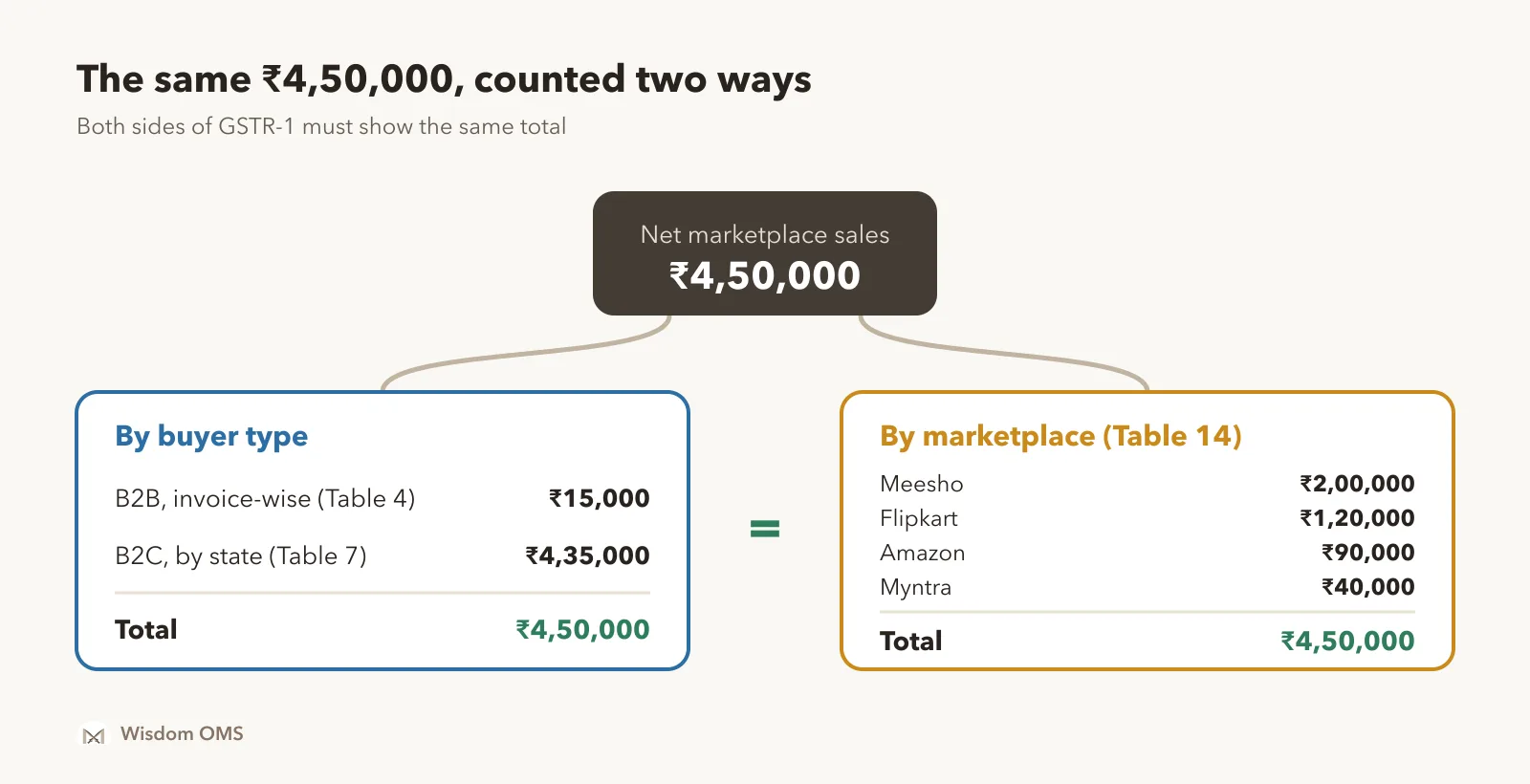
- B2B: ₹15,000 of the Amazon sales went to buyers with a GSTIN. Those invoices go in one by one.
- B2C: the other ₹4,35,000 is grouped by the buyer's state. Sales to your own state carry CGST + SGST; sales to other states carry IGST.
- Table 14: four lines, one per marketplace GSTIN: ₹2,00,000, ₹1,20,000, ₹90,000 and ₹40,000.
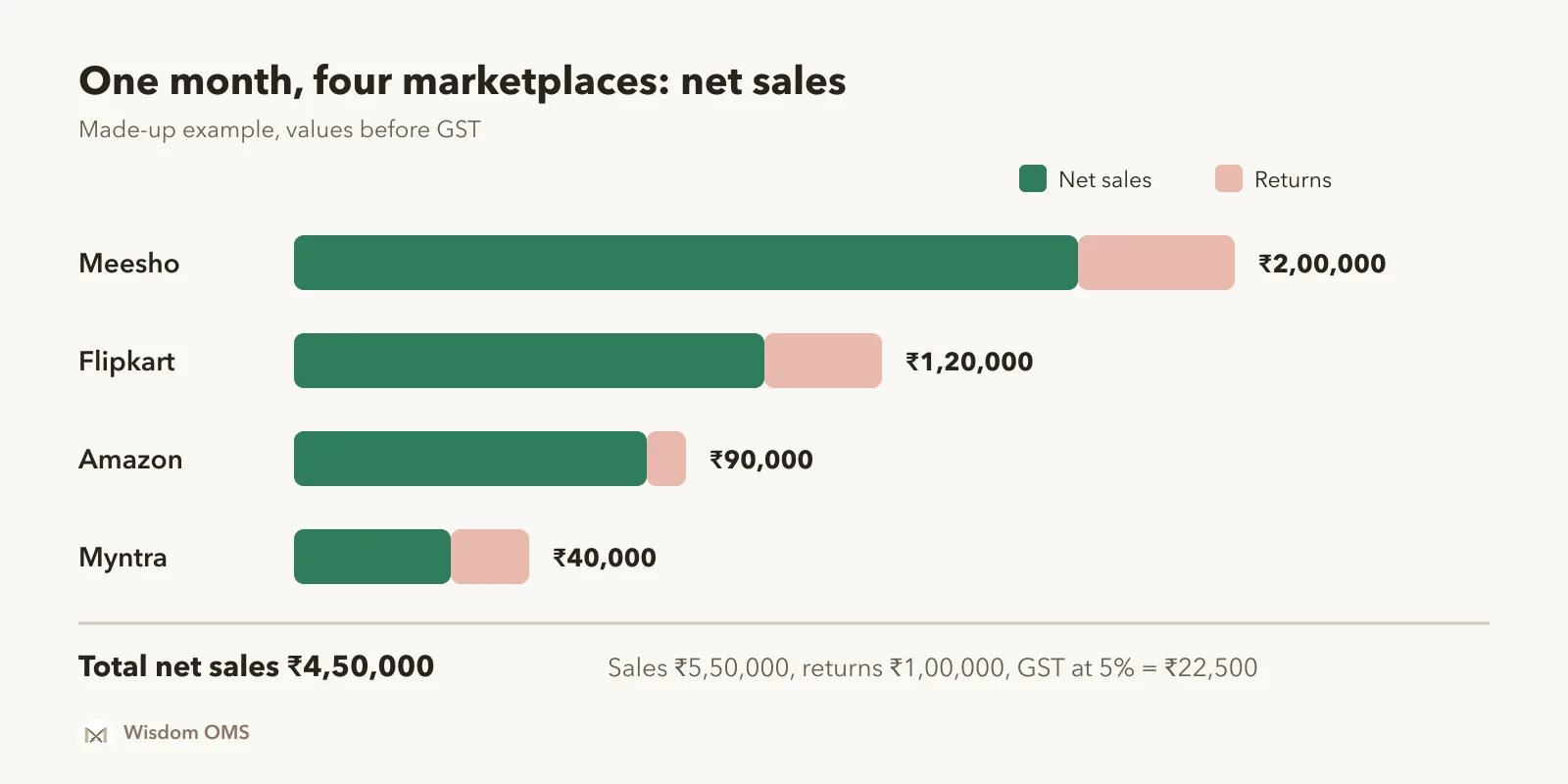
Notice what would happen if returns were left out: GST on ₹5,50,000 is ₹27,500, which is ₹5,000 more than this seller owes for the month.
Which GSTR-1 table does each number go to?
Every rupee of marketplace sales appears twice in GSTR-1: once as B2B or B2C, and once in Table 14 against the marketplace it came through. The two must add up to the same total.
| Figure | Where it goes | Detail |
|---|---|---|
| Sales to buyers with a GSTIN | B2B (Table 4) | Invoice by invoice, with buyer GSTIN |
| Sales to buyers without a GSTIN | B2C (Table 7) | Totals by buyer's state and GST rate |
| Net sales through each marketplace | Table 14 | One line per marketplace GSTIN |
| Same sales by product code | HSN summary (Table 12) | Separate B2B and B2C tabs |
| Invoice and credit note numbers used | Documents (Table 13) | Series and count for the month |
Your CA decides how returns of earlier months and B2B credit notes are shown. Your job is to hand over figures that are complete and that tally. The GST portal's GSTR-1 FAQ covers the tables in more detail.
How to tally GSTR-1 with marketplace reports and TCS
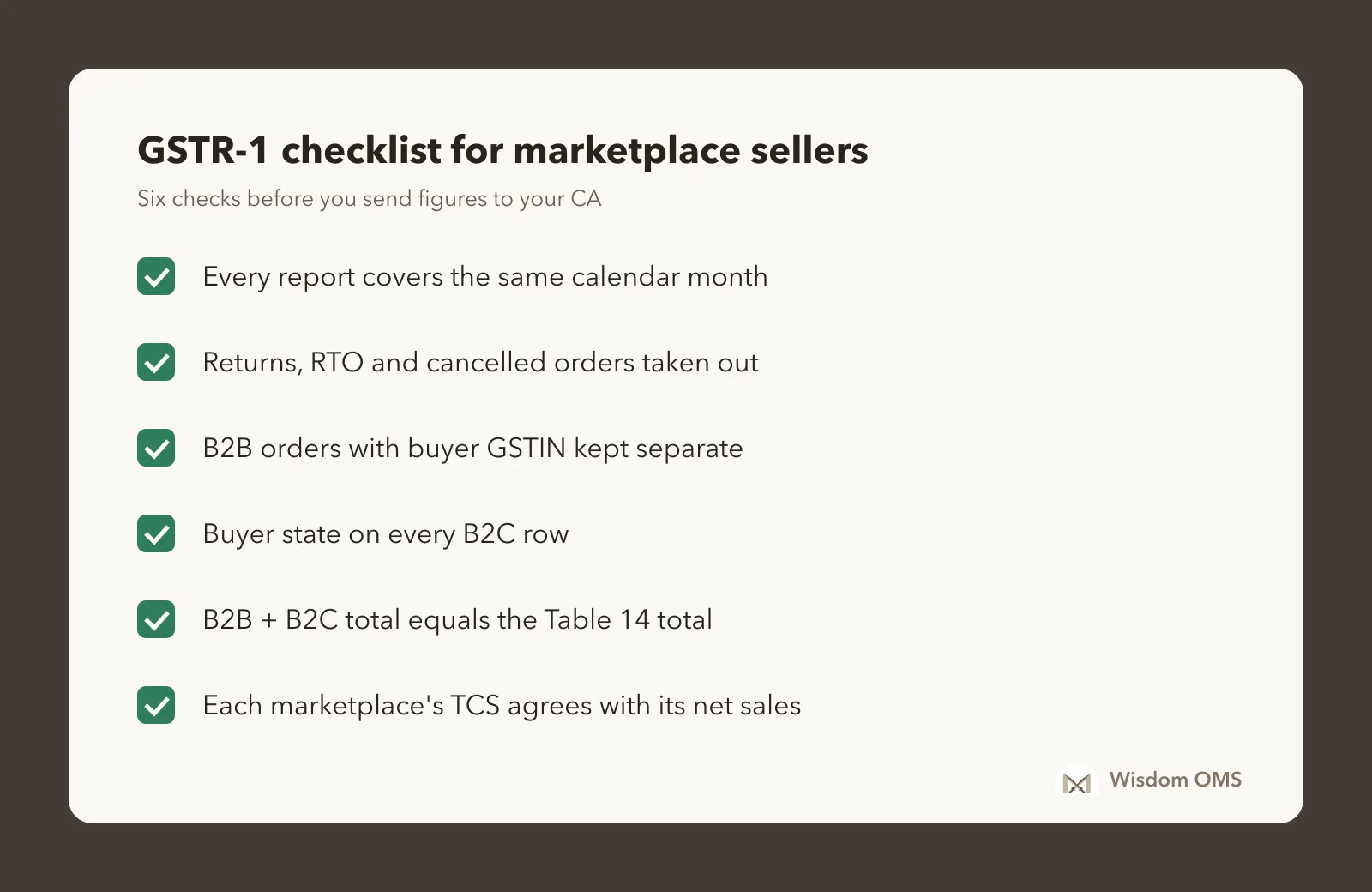
Before filing, check three totals against each other. This takes ten minutes and catches most errors.
- Report total = Table 14 line. Each marketplace's net sales from its report should equal its line in Table 14.
- Table 14 total = B2B + B2C. In the example, ₹4,50,000 = ₹15,000 + ₹4,35,000. If B2C comes out bigger, an order was probably counted twice.
- TCS agrees with net sales. Each marketplace collects TCS on your net sales and reports it on the GST portal. ₹1,000 of TCS from Meesho at 0.5% means Meesho reported about ₹2,00,000 of net sales. If your figure is far off, find out why before you file.
Common reasons for a mismatch: an RTO order still counted as a sale, a cancelled order left in, a month downloaded with the wrong date range, or one store missed because it sits on a second login. If you also check your payouts, the Flipkart settlement report guide and the Myntra settlement report guide show how to read those files. They are a separate check from GST.
How Wisdom OMS handles this
Wisdom OMS puts the GST working for each of your stores in one place: Payments > GST Report.
- Meesho: press For your CA to download Meesho's original GST files together with the GSTR-1 working and a tally sheet showing that both totals match.
- Flipkart: press Fetch from Flipkart on a month, then For your CA to download the working with Flipkart's original Sales Report.
- Amazon: press Fetch from Amazon on the month, or Upload Amazon file where it asks for one; For your CA downloads it with Amazon's own files.
- Myntra: For your CA downloads the working with Myntra's original GST sheets. Meesho and Myntra stores on the same GSTIN share one working.
Your CA gets the marketplace's own files and the working side by side, so they can check every figure instead of retyping it. If you keep your books in Wisdom Accounts, Accounting & GST can also bring Myntra sales and returns into your books month by month, and each Amazon month shows which tax reports are already in before you import. See the Wisdom OMS product page for everything else it does for orders, returns and payments.
Frequently asked questions
Do I file a separate GSTR-1 for each marketplace?
No. GSTR-1 is filed once per GSTIN for the period. Sales from Meesho, Flipkart, Amazon and Myntra all go into the same return, and Table 14 shows how much went through each marketplace. Only a second GSTIN, for example in another state, files its own return.
What is Table 14 in GSTR-1 for ecommerce sellers?
Table 14 lists the sales you made through e-commerce operators such as Meesho, Flipkart, Amazon and Myntra. You enter each marketplace's GSTIN and your net sales value through it for the period. The same sales are also reported in the B2B or B2C tables.
Should returns be deducted in GSTR-1?
Yes. GST is due on what stayed sold, so returns for the period reduce your sales. Marketplace tax reports show returns as separate rows or sheets; include them, or you will report and pay GST on parcels that came back. Ask your CA how to treat returns of sales from earlier months.
Which report should I use for GSTR-1: the payout report or the tax report?
Use the tax or sales report. A payout report shows the money paid to you after commission, shipping and TCS, often weeks later, so its totals never match your sales for the month. Keep the payout report for checking that you were paid correctly.
Why does my TCS not match my GSTR-1 sales?
The usual reasons are returns counted in a different month, an RTO or cancelled order still shown as a sale, or a store left out. TCS is collected at 0.5% of net sales, so divide each marketplace's TCS by 0.005 to see the sales value it reported, and compare that with your own figure.
File with figures that tally
This month, download all four reports for the same dates, take out returns, and run the three-total tally before your CA files. Doing it the same way each month makes the 9th a lot calmer. Start free with Wisdom OMS to get GST working for your CA from every store in one place, or get the Wisdom app on Google Play. Also see our guide to Meesho payment reconciliation.