
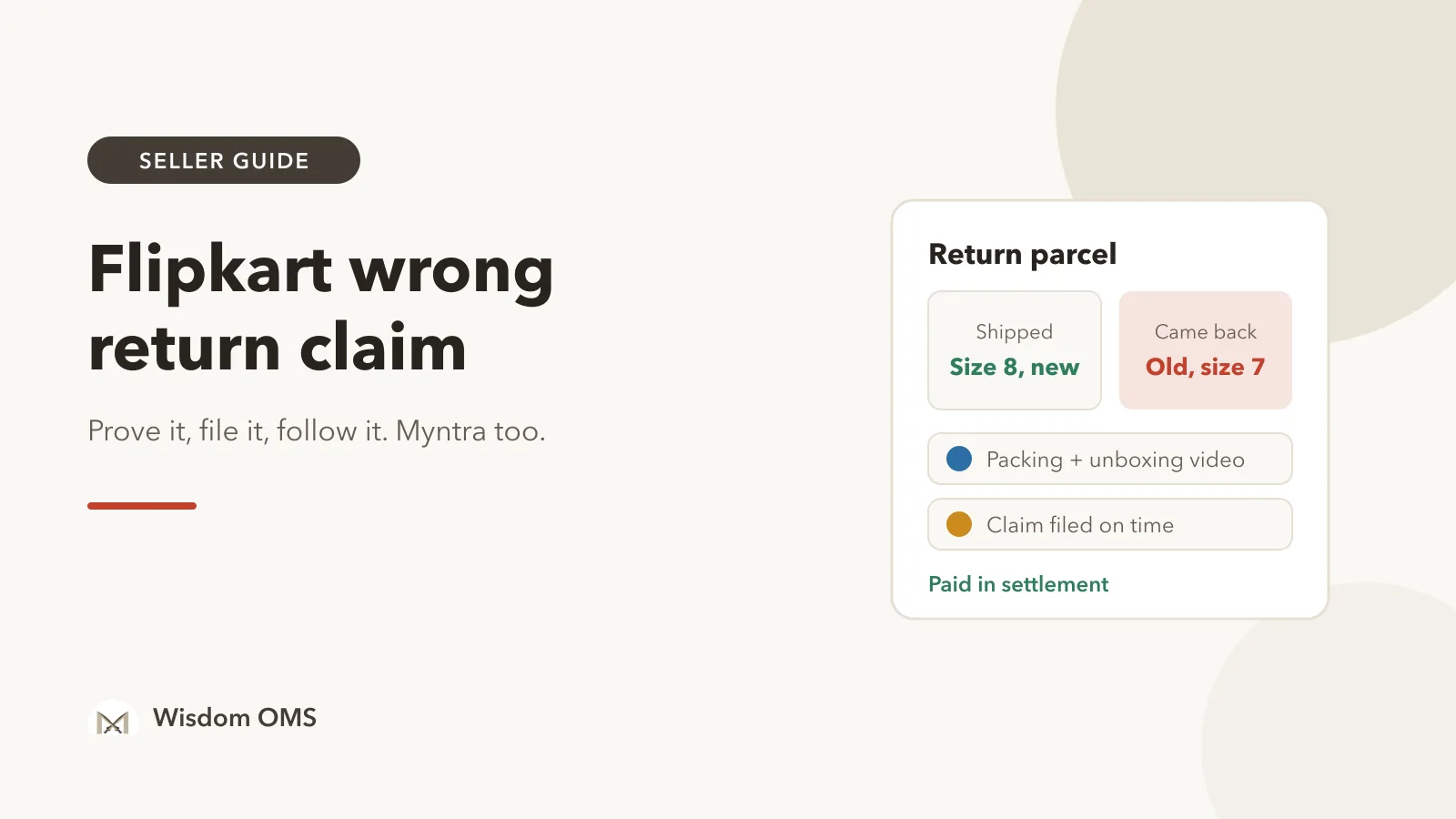
You sent a new pair of shoes in size 8. The return comes back with an old, muddy pair inside, or a brick wrapped in your polybag, or nothing at all. The buyer has the refund already, and the ₹900 product is gone unless you act.
A Flipkart wrong return claim is how you ask Flipkart to pay you back for a return that did not come back as you shipped it. Flipkart handles these claims under its Seller Protection Fund (SPF). Myntra has a similar route. Claims are paid when the proof is clear and the claim is on time, and most sellers lose them on one of those two. This guide covers both marketplaces: what counts as a wrong return, the proof to keep, where to file, what to write and how to follow the claim until the money lands.
Key takeaways
- Record two videos: one when you pack the order and one when you open the return. Together they show what left your godown and what came back.
- On Flipkart, wrong returns are claimed under SPF from the Returns area of Seller Hub. On Myntra, claims go through a ticket on the Partner Portal.
- Claim windows are short and can change. Check the current window in your seller panel and open every return the day it arrives.
- A claim is finished only when the amount shows in your settlement. Approved is not the same as paid.
What counts as a wrong return on Flipkart and Myntra?
A wrong return is a return parcel that does not contain the product you shipped, in the condition you shipped it. It is different from a normal customer return, where your product comes back unused, and from an RTO (return to origin), where the buyer never accepted the parcel in the first place.
Wrong returns usually fall into one of these types, and each needs slightly different proof:
| What came back | What your proof must show |
|---|---|
| A different product | The item next to the return label on camera, plus your packing video of the original |
| Your product, but used, washed or damaged | Close-ups of the damage, cut or missing tags, and the parcel opened on camera |
| Wrong size or colour | The size tag or colour on camera, and the size or colour on the order |
| Missing pieces from a set or combo | Every piece counted on camera, and the order quantity |
| Empty or tampered parcel | The outside of the parcel from all sides, the tape and seal, before opening |
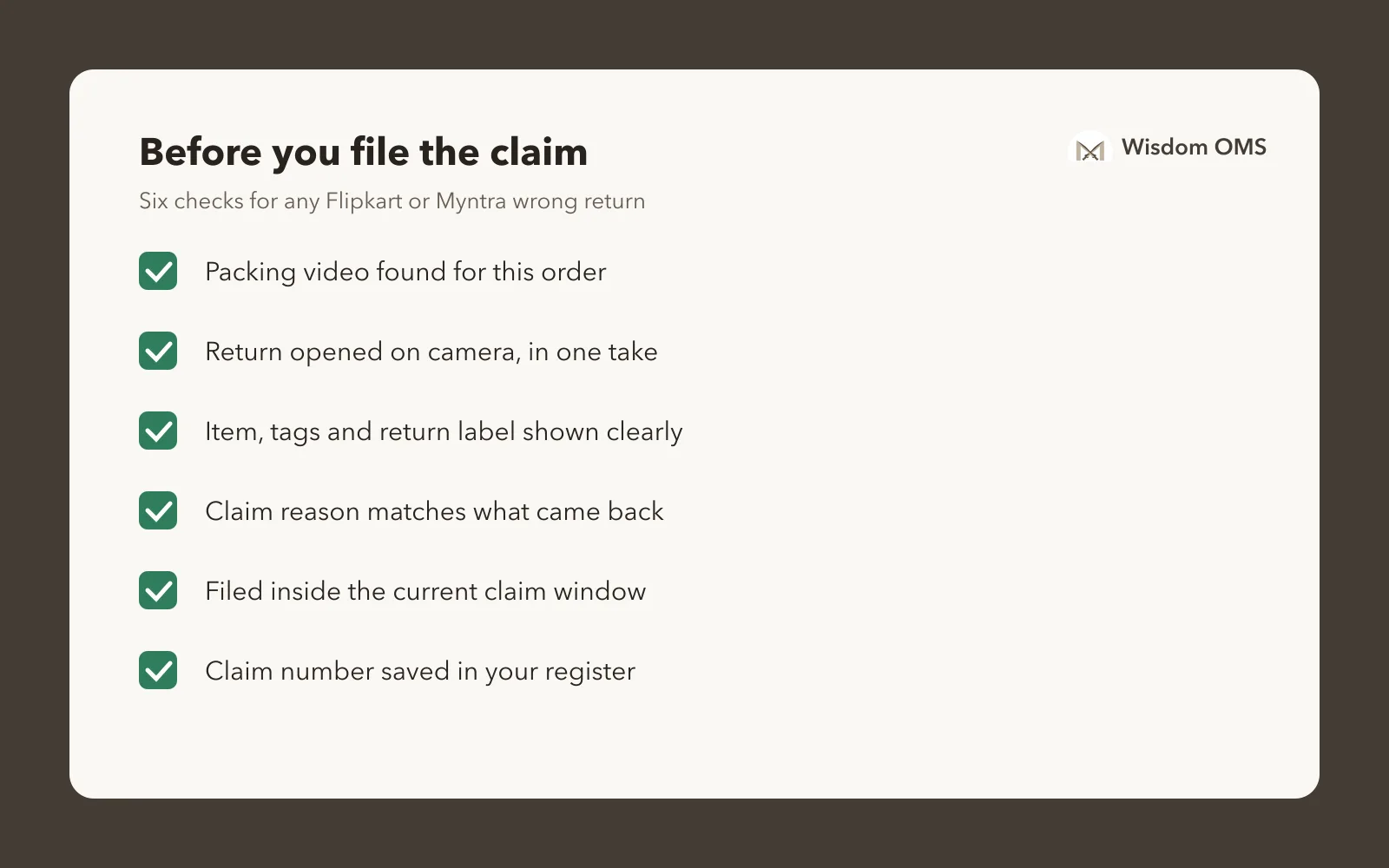
Before you file anything, check that it really is a wrong return. A buyer who returned the right product in good condition is a normal return, and a claim for it will only be rejected.
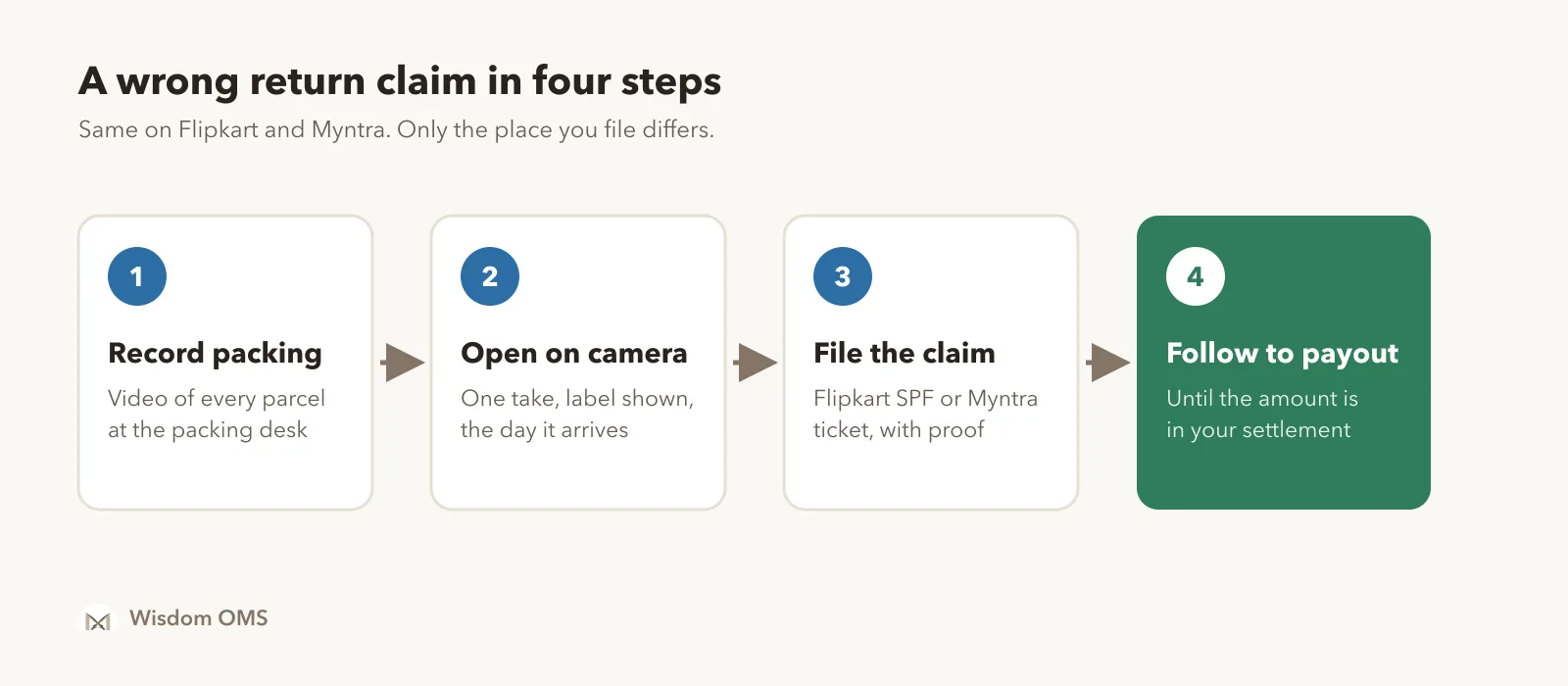
Step 1: Keep proof from both ends of the order
The strongest claims show the product twice: when it was packed and when the return was opened. A packing video alone shows what you sent. An unboxing video alone shows what came back. With both, the gap is plain to anyone who checks.
Third-party guides say Flipkart ties SPF eligibility to its packing video system, called VMS. Flipkart can change these rules, so check the SPF policy in your Seller Hub for what is required today. Either way, a packing video costs you nothing per parcel once a phone or camera is fixed over the packing desk.
For the return side, follow these rules every time:
- Start recording before you touch the parcel. Show it sealed, from every side, with the return label readable.
- Keep the video in one take. No cuts and no pausing, from the sealed parcel to the last item laid on the table.
- Show the product clearly. Tags, size label, colour and any damage, held close to the camera.
- Save it with the order number in the file name, so you can find it in seconds.
Step 2: File the claim in the right place
On Flipkart, file wrong return claims under SPF from the Returns section of Seller Hub. On Myntra, raise a ticket on the Partner Portal. Claims sent any other way can be ignored.
Flipkart's own SPF FAQ describes a Claim SPF option on completed returns in the Returns dashboard. Pick the reason that matches what came back, add the order and return details, attach your photos and video and submit. Myntra's Seller Protection Fund policy says claims must be raised as a support ticket on the Partner Portal, and that disputes not logged there will not be considered. Menu names change from time to time, so follow the closest match on your screen.
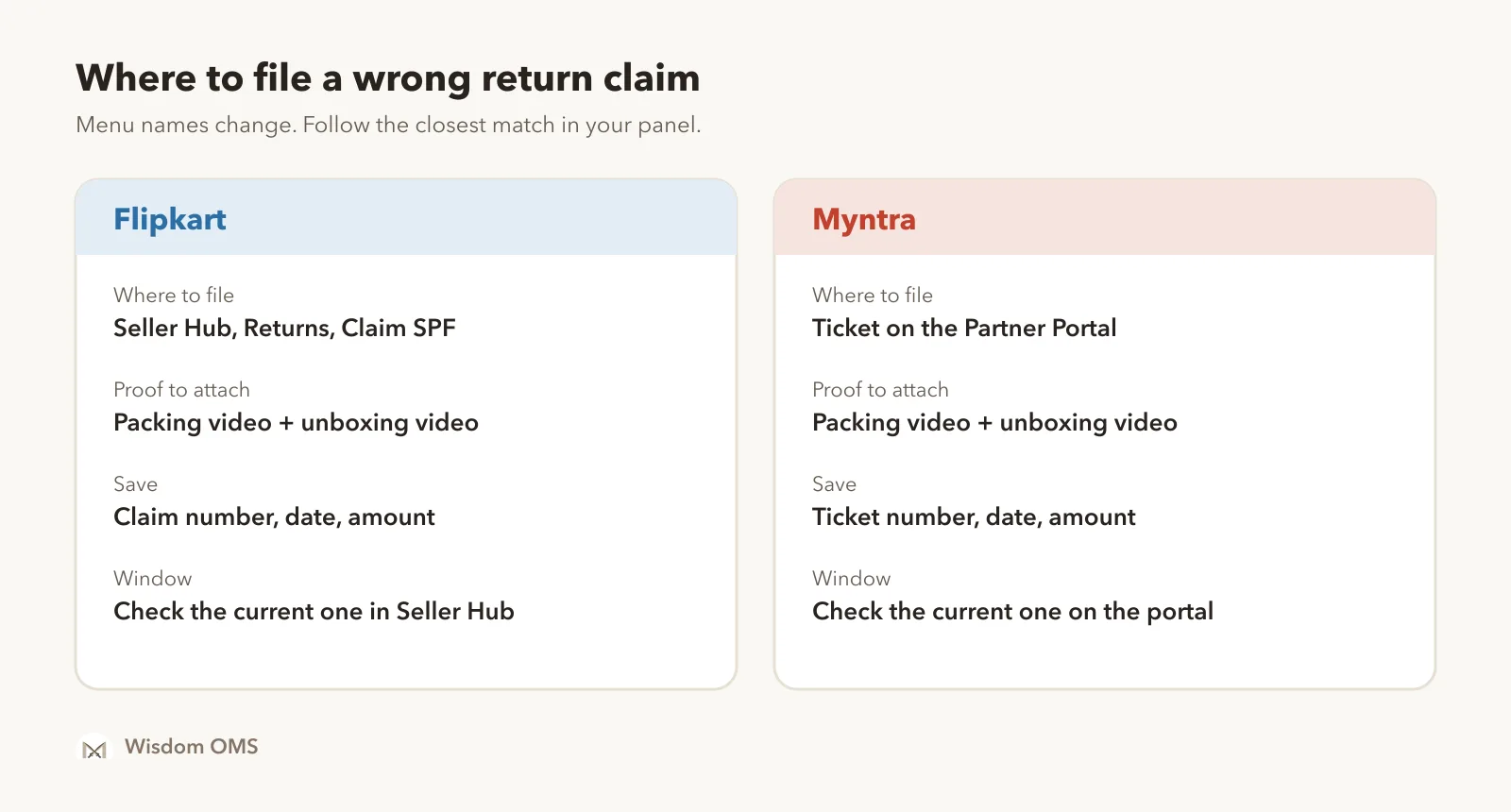
Timing matters as much as proof. Sources quote different claim windows, and the marketplaces update them, so this guide gives no fixed number. Look up the current window in your panel, and treat the day the return reaches you as day one. A return that sits unopened for a week is the easiest claim to lose.
Step 3: Write a claim note that can be checked in a minute
Say what you shipped, what came back and what you want. Keep it to a few lines, and point to the exact proof.
A useful note looks like this: "Order shipped as one black running shoe, size 8. Return received with a used brown shoe, size 7, no box. Packing video and unboxing video attached; the wrong shoe shows at 0:42. Please reimburse the product value." That is all the reader needs.
Leave out guesses about the buyer or the courier, and don't paste the same angry note on every claim. One claim per order keeps each one easy to check. If several returns from the same pickup came back wrong, file each one and keep a list of them together.
Step 4: Follow every claim until the money lands
Check your open claims on a fixed day each week, and read every reply, not only the status. An approved claim still has to show up in your settlement. A rejected one may only need clearer proof.
- Keep a short register. Order number, claim or ticket number, date filed, amount and latest reply. A sheet is enough at low volume.
- Answer requests the same day. If the reply asks for a clearer photo or a longer video, add it to the same claim.
- Match approvals to payouts. When you reconcile your Flipkart settlement report, look for each approved claim as a line in the payout.
- Look for patterns. If one product or one pin code keeps coming back wrong, better packing or a change to that listing saves more than any claim.
How Wisdom OMS handles this
Wisdom OMS keeps returns and claims for all your stores in one place, so you don't log in to each panel to chase them.
At the packing desk, Wisdom records a video of every parcel as it is packed, without pressing record. One desk can record for all your Flipkart accounts, set up once in Warehouse Settings. If an account doesn't have Flipkart's packing video access yet, you can request it from the same screen.
When returns come back, Scan Return lets you choose courier return (RTO) or customer return, so the two don't get mixed up. Each scanned return shows its return delivered date and the days left to claim. Under Scan Wrong Return, scan a Myntra return and file the claim right there, with barcode, product and label photos taken on your computer's camera inside the form. Snapdeal wrong returns can be raised as a dispute from the same screen.
Flipkart and Myntra claims open with their issue, claim and tracking IDs, and Refresh pulls the latest status. Tickets raised from Alerts and Returns go to Flipkart Seller Support and show Flipkart's reply. When a claim is paid, the order's Money card shows the amount, date, UTR and your net after the claim. See what Wisdom OMS does.
Frequently asked questions
How do I claim a wrong return on Flipkart?
Open the Returns section of Flipkart Seller Hub, find the completed return and use the SPF claim option. Choose the reason that matches what came back, add your photos and videos and submit within the current claim window. Save the claim number and check for replies every week.
What proof does Flipkart need for an SPF claim?
The strongest proof is a packing video of the original order plus an uncut unboxing video of the return, with the return label readable. Add clear photos of the item, tags and any damage. Check the SPF policy in Seller Hub for anything else it requires for your category.
How do I raise a wrong return claim on Myntra?
Raise a support ticket on the Myntra Partner Portal for the order, choose the issue that matches the return and attach your video and photos. Myntra's SPF policy says disputes not logged on the Partner Portal will not be considered. Keep the ticket number and follow the replies there.
Why was my Flipkart SPF claim rejected?
Common reasons are a missing or cut video, an unreadable label, a reason that doesn't match the proof, or a claim filed after the window closed. Read the reply to find which one applies. If you have better proof, file again or answer the reply with it; if not, fix the habit for the next return.
Prove it once, get paid every time
A wrong return costs you the product only when it goes unclaimed. Record the packing, open every return on camera the day it arrives, file in the right place and follow each claim to the payout. Sell on Meesho too? Our Meesho wrong return claim guide covers the same steps for that panel, and Myntra seller order processing shows how to keep tag loops and packing proof ready from day one.
When returns grow beyond a sheet, start free with Wisdom OMS or get the Wisdom app on Google Play.